
Pictures, clips, music, speech.
On your key, into your folder.
Image, video, music and speech from any model your OpenRouter key reaches. The panel reshapes itself around the model you pick, and every result is a file in the project with its prompt and price beside it.
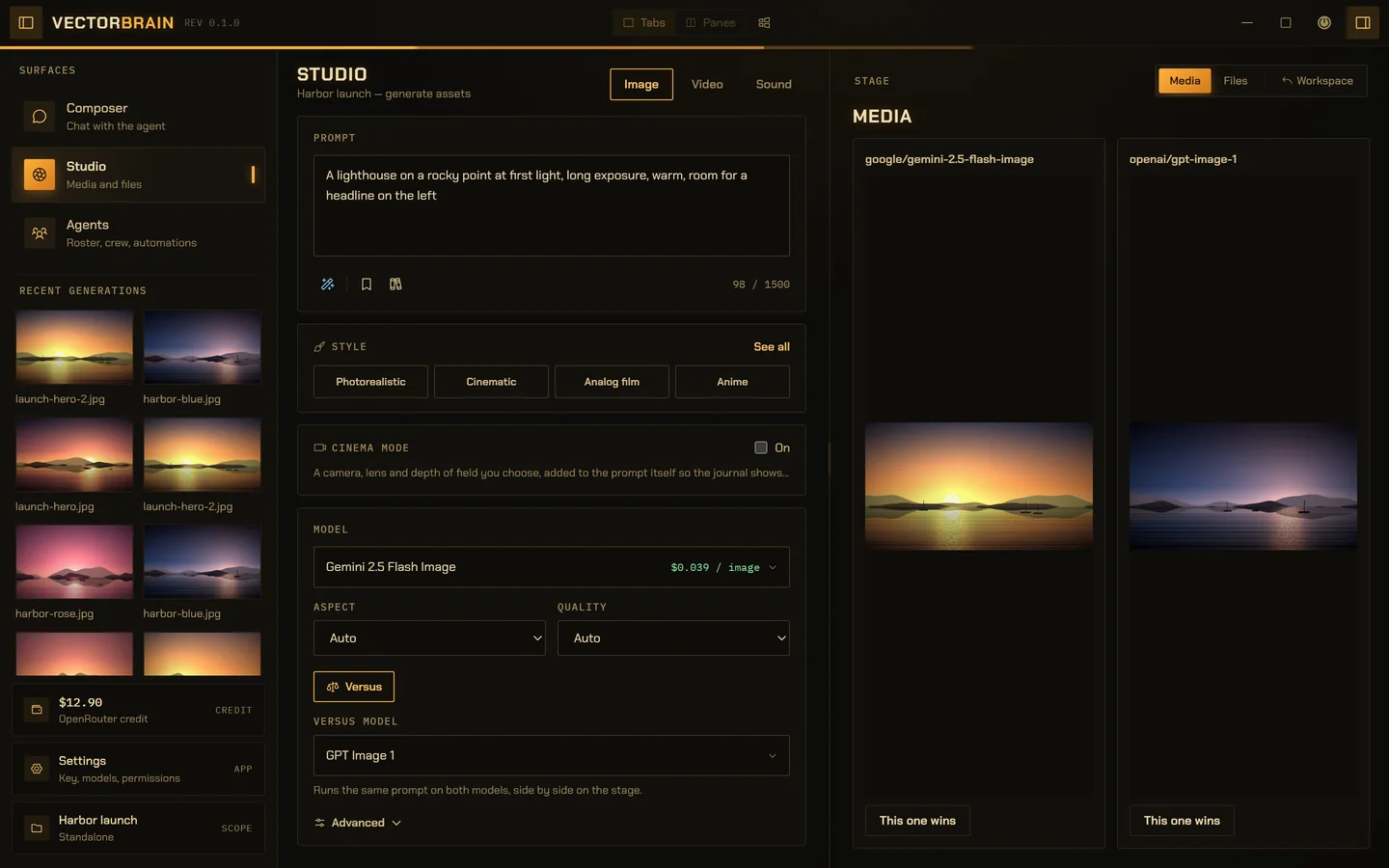
VectorBrain’s real Studio, running on example data. The harbor and lighthouse pictures are procedural stand-ins drawn for these captures, not model output.
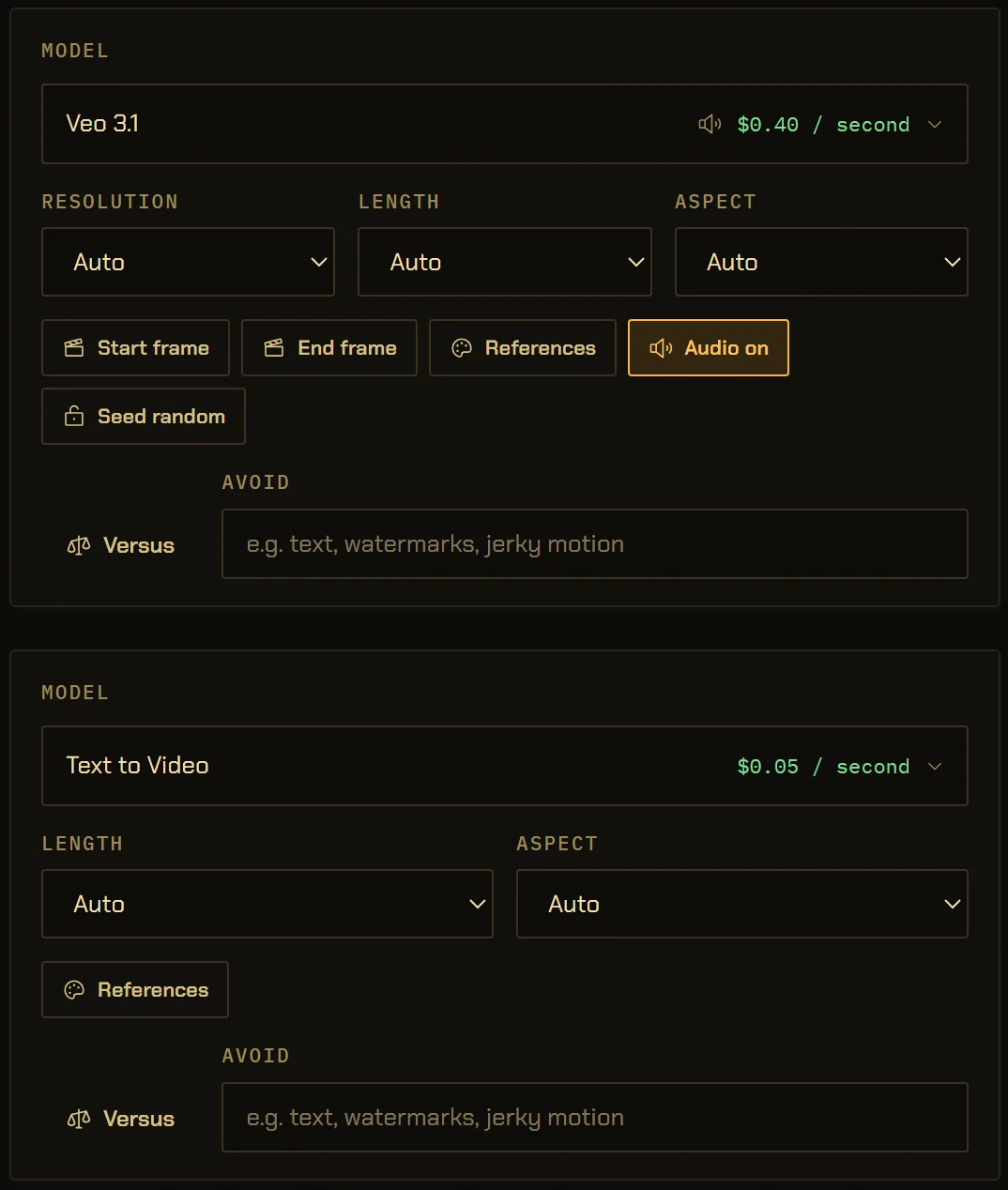
The panel is drawn by the model in it.
Resolution, duration, aspect, start and end frames, audio and seed appear only when the chosen model publishes them, so no control on screen does nothing. A model that publishes nothing gets generic controls, because unknown is not the same as none.
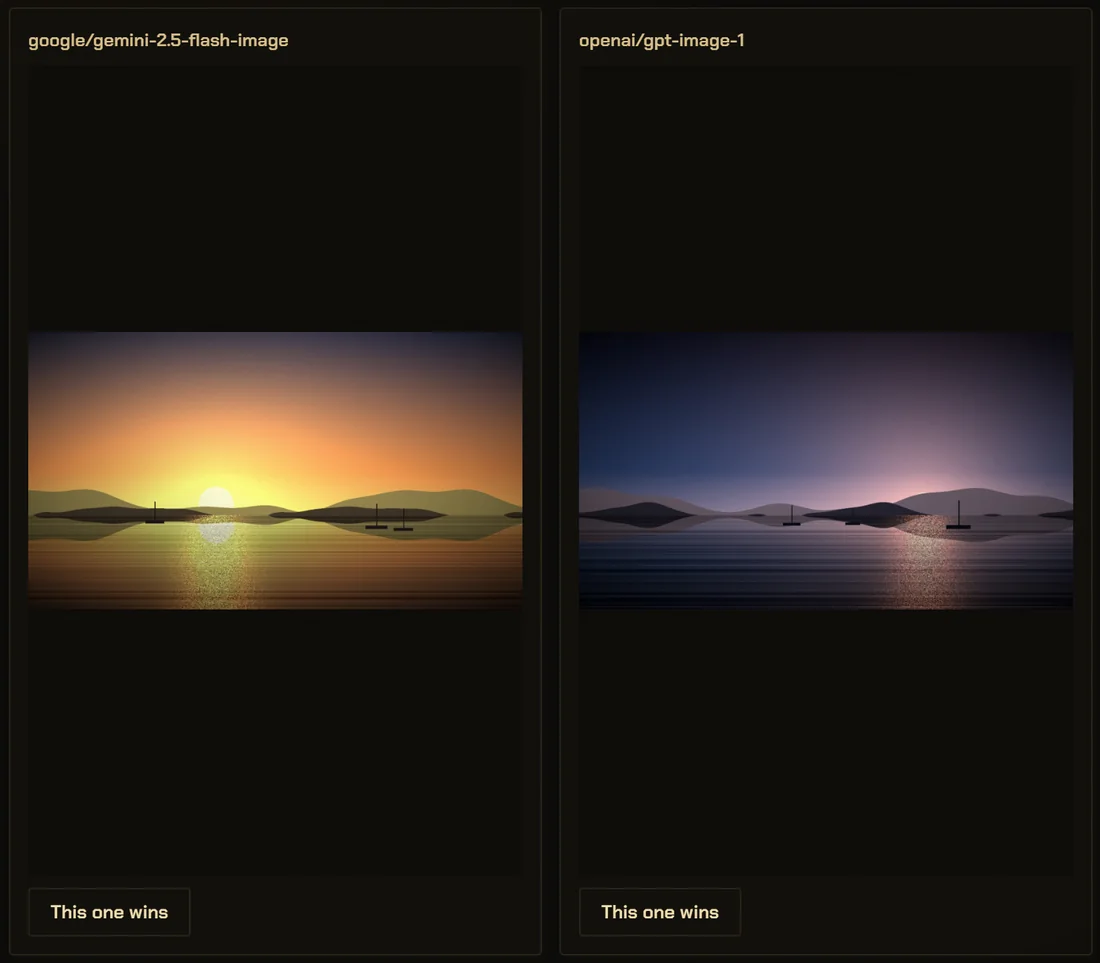
Two models, one prompt, side by side.
Switch on Versus and Generate sends the same prompt to both models at once. Neither is shown until both land, so neither is judged first. Your picks become a running score per model, and the loser’s file stays on disk.
A lighthouse on a rocky point at first light
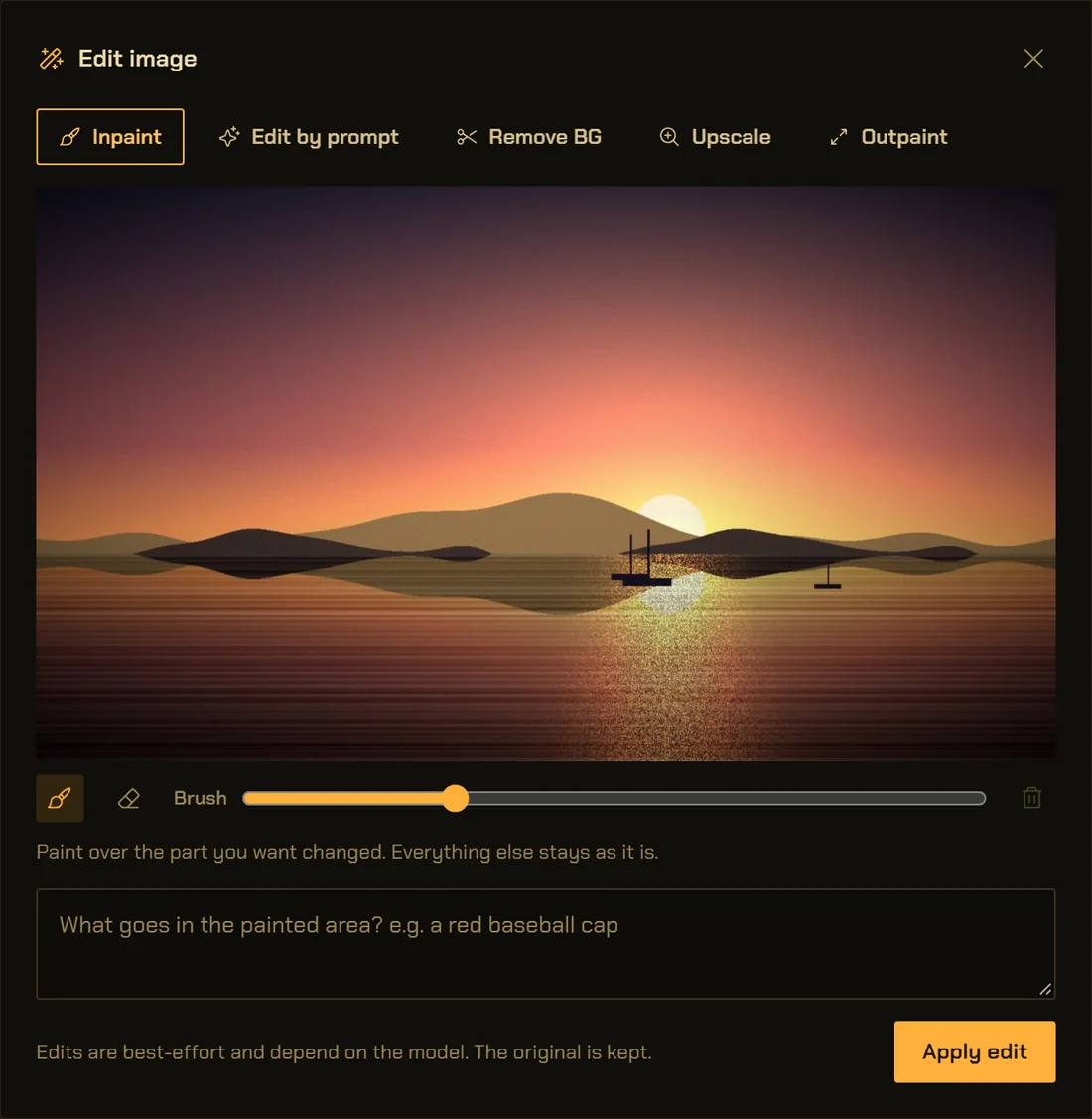
Edit what came back.
Paint a mask and redo part of a picture, edit it by prompt, cut the background out, upscale it 2× or 4×, or extend it to one of six aspects. Each edit writes a new file named after its source, so the original is kept. Cutting the background out is not a generation: the cut runs on your machine, and the result is checked for real transparency before it says so. Vector results open as layers you can recolour or delete.
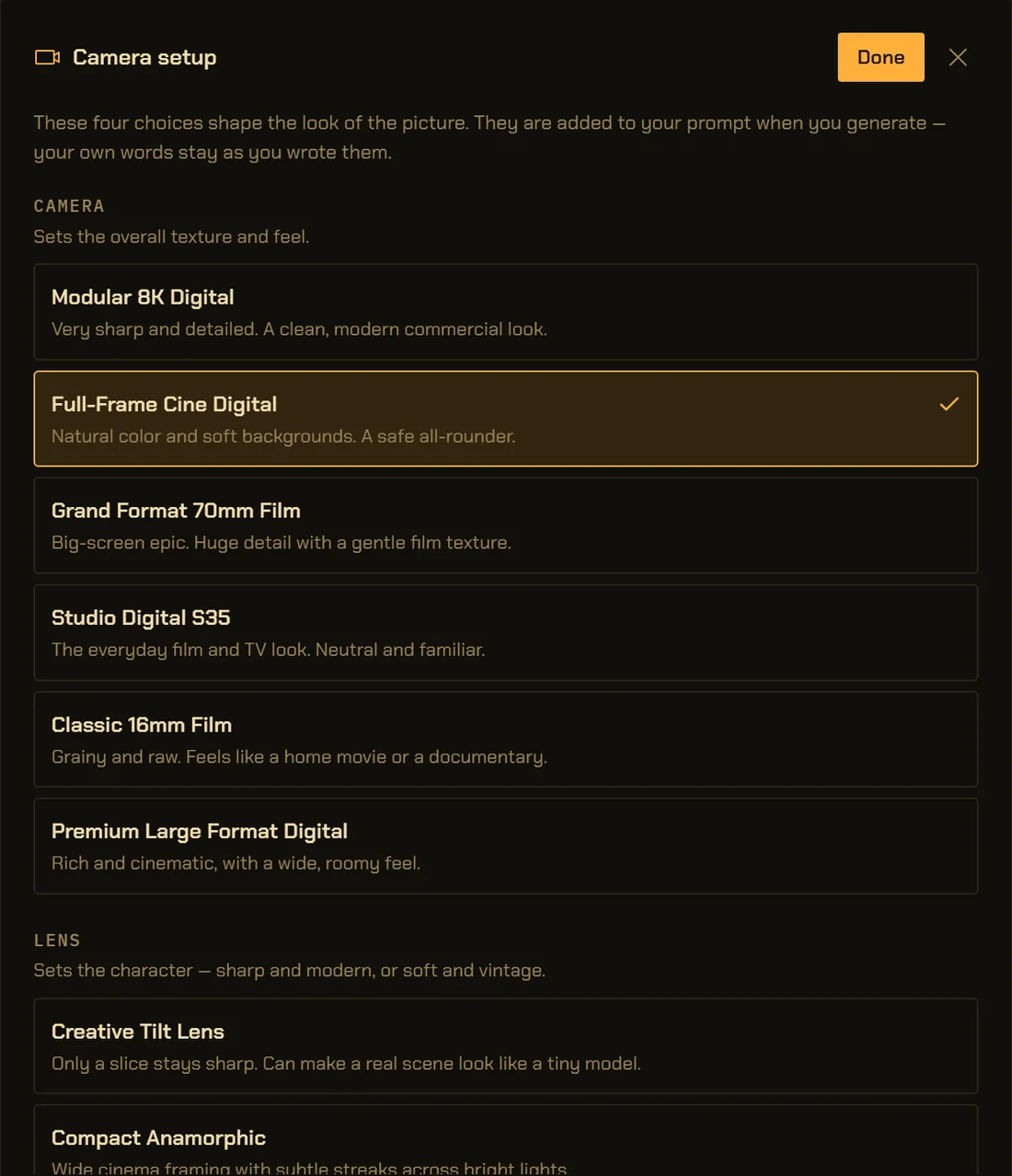
A camera you choose, written into the prompt.
Six camera bodies, eleven lenses, six focal lengths and three apertures for any image or clip, and 36 camera moves for video. They are added to your words when you press Generate, so the journal holds the exact prompt the model was sent, not a hidden suffix.
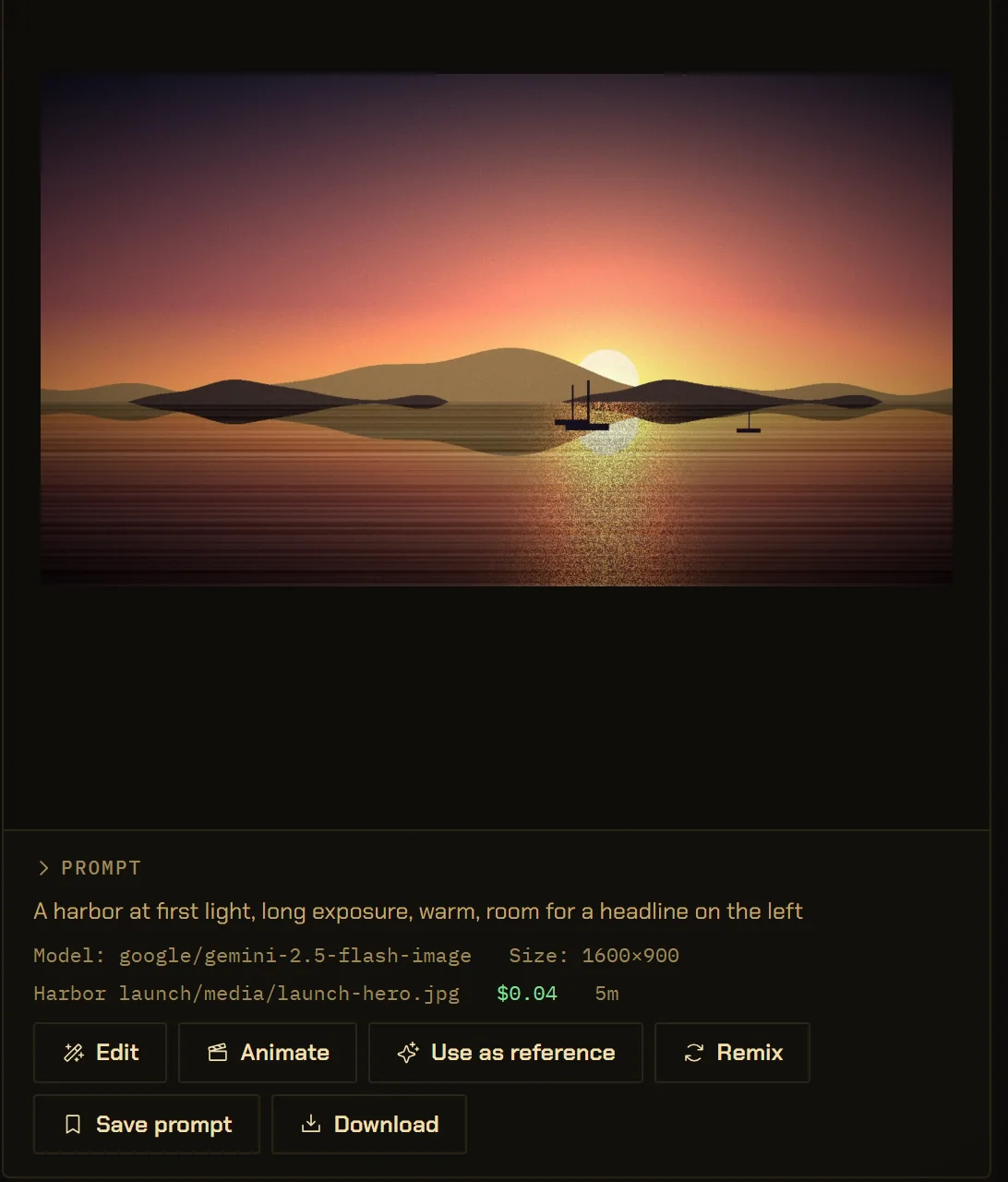
A file, a price and a journal row.
The Studio runs the same media.* commands as an agent asked in chat, so both kinds of generation look the same in the journal. The file lands in the project’s media/ folder. The cost shown is what the provider reported. Delete is the generation’s own undo, and it can only remove media files.
make a hero image for the launch post
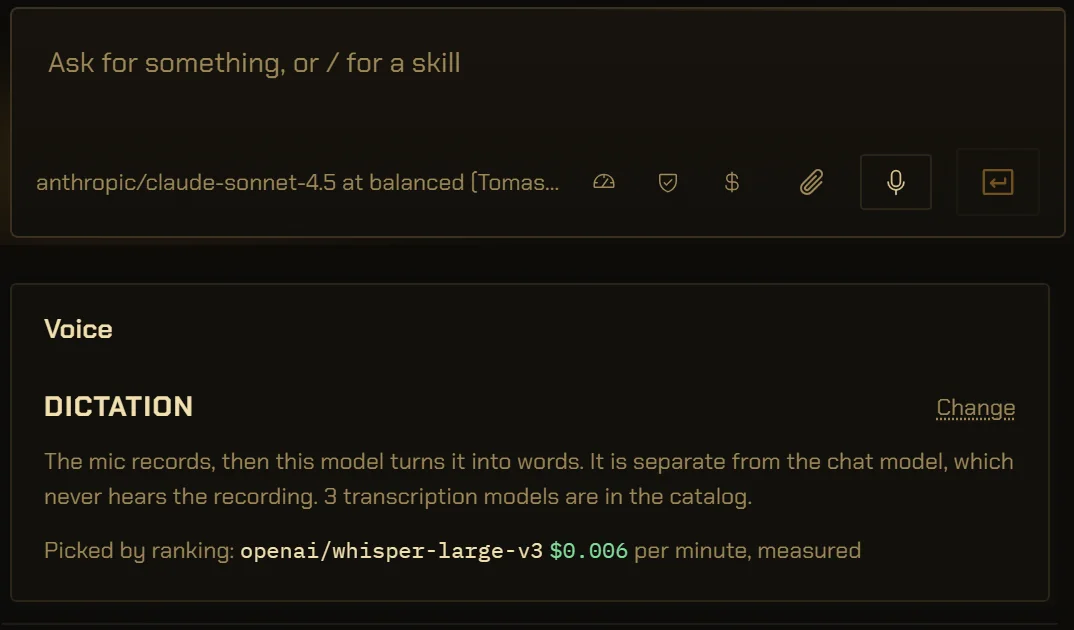
Talk to the composer. The audio is thrown away.
The mic on the composer records, then a transcription model you pick turns it into text in the box. The chat model never hears the recording, and the recording is never written to disk: the transcript is the only thing kept.
- keep your recording
- hide words in your prompt
- delete a file outside media/
- pay twice for a video that timed out
A video job that runs past 20 minutes is reported as timed out and is never sent again, because a second submit is a second bill. How undo is bounded.
The Studio, in numbers.
- Images per request
- Up to 4, guided by up to 8 reference pictures.
vb-llm/src/media.rs, vb-cmd-media/src/generate.rs - Video
- 1 to 60 seconds as the model allows; up to 16 references, or start and end frames, not both.
vb-cmd-media/src/generate.rs - Video wait
- Polled every 10 seconds for up to 20 minutes. A timeout is final.
vb-cmd-media/src/generate.rs - Prompt length
- 1,500 characters in the panel, 4,000 at the command, 8,000 for speech.
ui/src/Studio.tsx, vb-cmd-media/src/generate.rs - References
- Read from your disk and sent inline as base64, up to 20 MB each.
vb-cmd-media/src/store.rs - Where files land
- <project>/media/<prompt-slug>.<ext>, the name cut at 48 characters; with no project open, the library.
vb-cmd-media/src/store.rs - Cost
- The provider’s own reported cost, per image or video generation, never estimated from the catalog.
vb-llm/src/media.rs - Presets
- 37 styles, 6 camera bodies, 11 lenses, 6 focal lengths, 3 apertures, 36 camera moves.
ui/src/studio/ - Music controls
- 8 genres, 7 moods, 4 vocal styles, lengths of 15, 30 or 60 seconds, BPM and an Avoid line.
ui/src/studio/music.ts - Saved prompts
- Up to 100, kept per tab: image, video, music, speech.
ui/src/studio/vault.ts - Dictation
- Audio up to 32 MB in wav, mp3, flac, m4a, ogg, webm or aac, transcribed and never saved.
vb-cmd-media/src/listen.rs - Delete
- Up to 10 files per discard, and only media files under a project’s media/ folder.
vb-cmd-media/src/gallery.rs
The details,
for the careful.
What can the VectorBrain Studio make?
Images, video clips, music and speech, from whichever models your OpenRouter key reaches that produce them. Dictation goes the other way and turns your voice into text in the composer.
Which models can I use?
Any model in the OpenRouter catalog that outputs the thing you are making. The Studio lists them with their published prices, and a model added to OpenRouter today appears after the next catalog sync. How models and keys work
Why do the controls change when I pick another model?
The controls are read from the model’s published capabilities. A setting the new model cannot produce snaps back to Auto instead of being sent and ignored. A model that publishes no capabilities gets permissive generic controls.
Is a Studio generation different from asking in chat?
No. Both call the same media commands with the same input, both write a journal row, and undo works the same way on both. A connected companion such as Claude Code can use the same commands if you allow it. The Studio from your terminal
Can I undo or delete a generation?
Yes. Delete runs the generation’s own undo, which removes its files from disk permanently after you confirm. It can only delete media files inside a project’s media folder. It does not refund what the provider charged.
How do reference images reach the model without a server?
A desktop app has no public URL to hand a provider, so references are read from your disk and sent inline as base64 data, up to 20 MB each. A provider that only accepts a hosted URL cannot use them.
What does a generation cost?
What your provider charges your key; VectorBrain adds nothing. Image and video generations show the cost the provider reported. Music and speech do not record a cost yet.
Where does dictation send my voice?
To the transcription model you picked, through your key, and nowhere else. The recording is never written to disk and the chat model never hears it. Its price per minute is measured, from a three-second test clip or from your own transcriptions, because OpenRouter does not state the unit.
Can I export documents from here?
Documents have their own page. They export to PDF, DOCX and PPTX. Documents and export
Your key, your folder.
Every picture has a receipt.
What the Studio makes is a file in your project, with the prompt, the model and the price written beside it.