
A bench you built.
One loop, not six.
An agent is a name, a job you wrote, a model, a narrowed set of tools and a folder of notes. Every one runs on the same loop, under the same permission check, into the same journal.
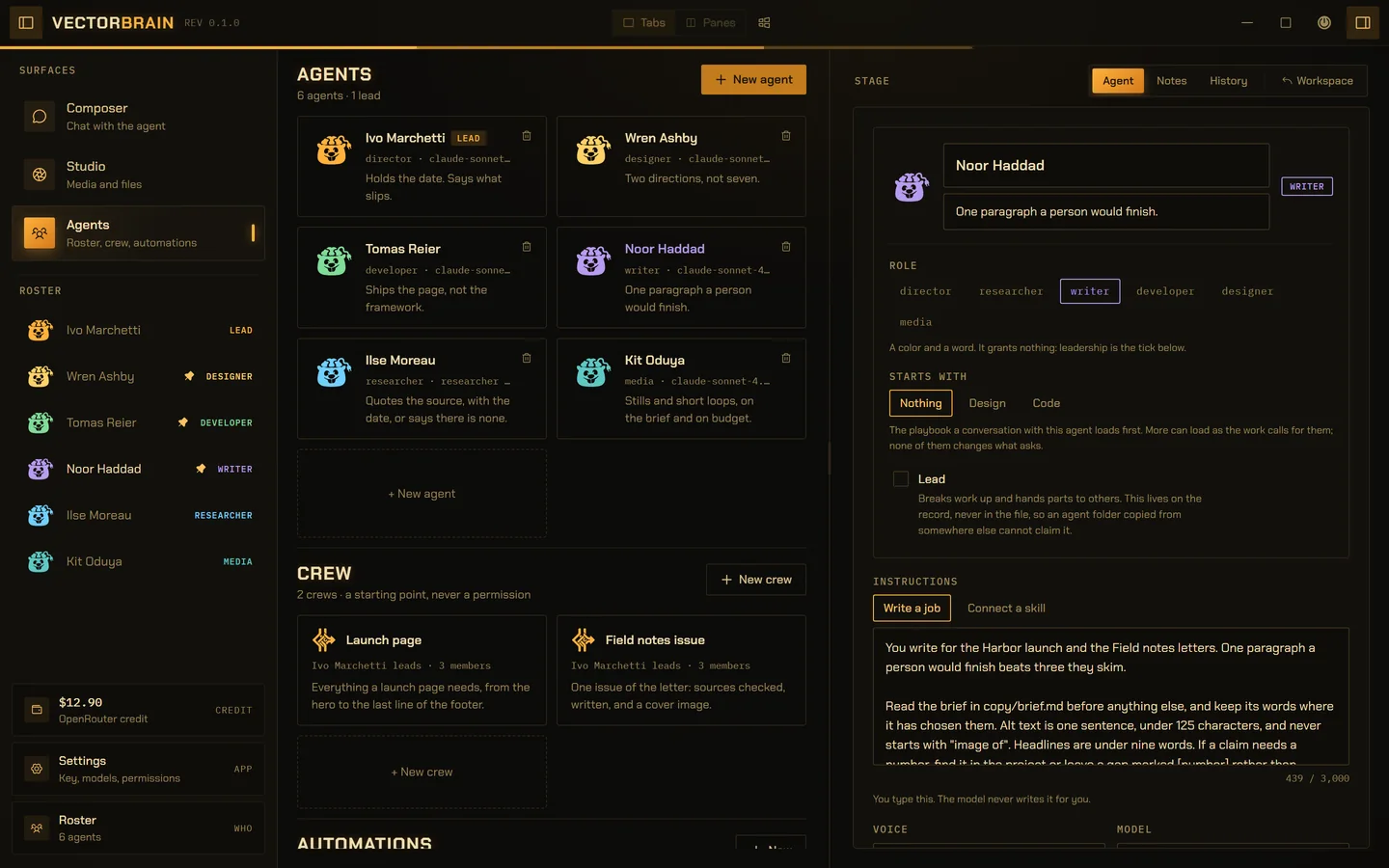
VectorBrain’s real interface, running on example data. The people are invented.
Somebody you made, in your own words.
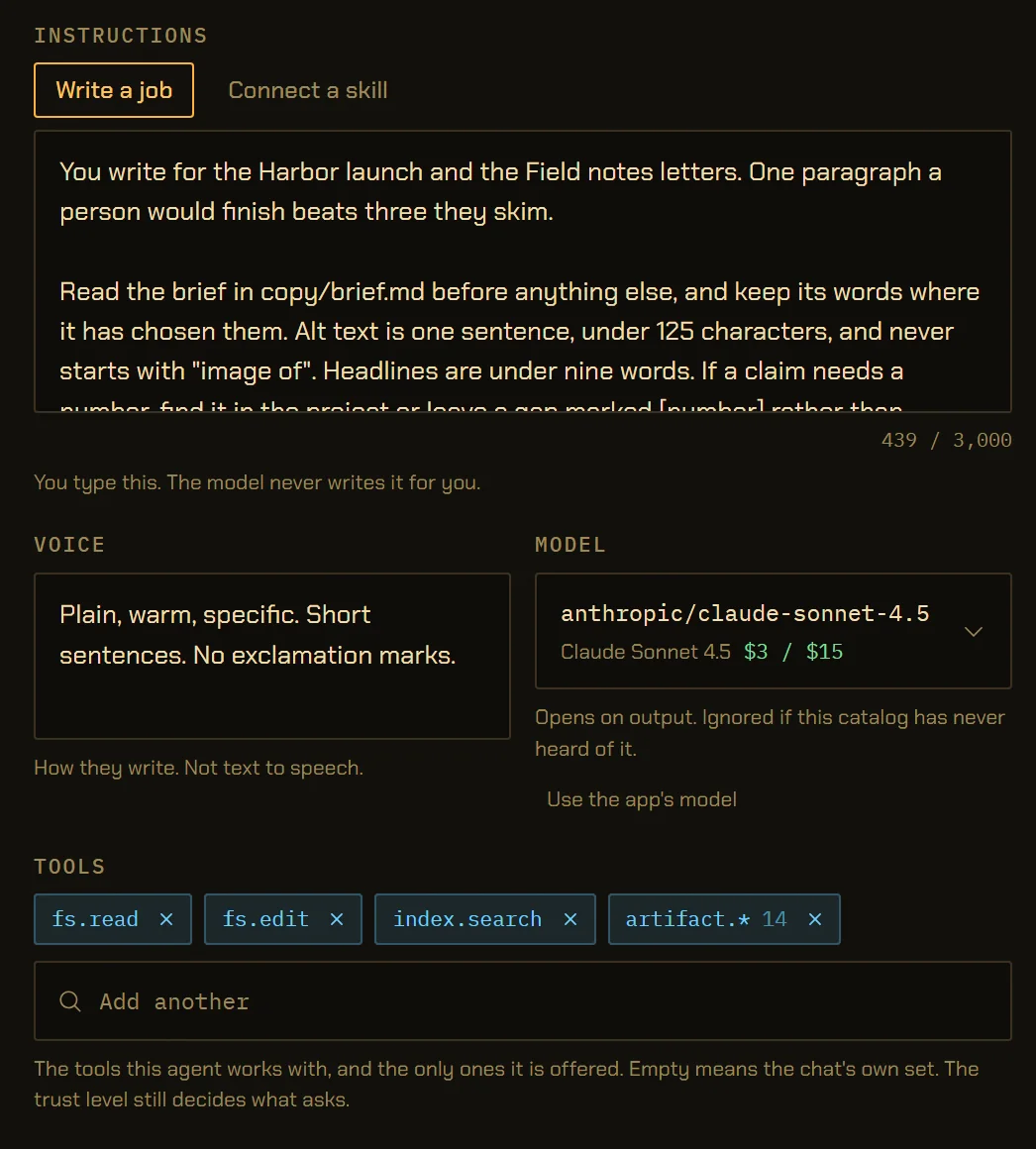
The job description rides every turn of every conversation with them, so you write it and the model never does. Up to 3,000 characters.
Give an agent a model and a short list of tools, and those are the only ones it is offered. A role is a colour and a word. Lead is a tick on the record, never in the file, so a folder copied from somewhere else cannot claim it.
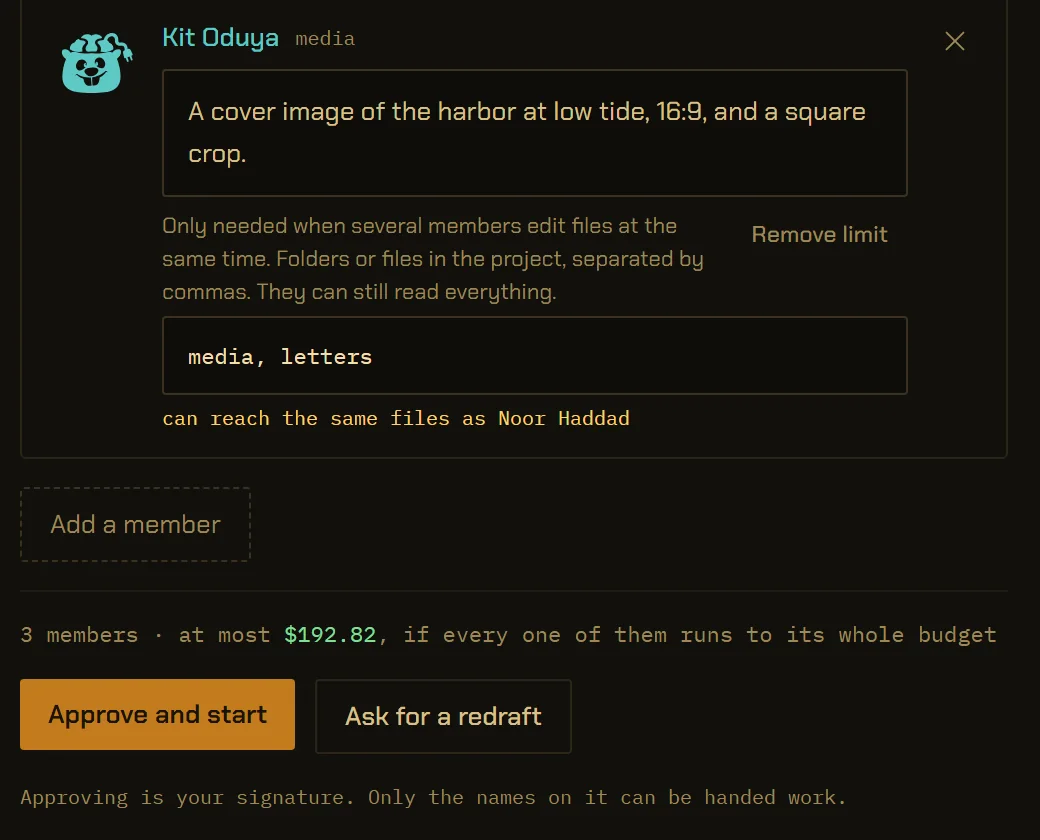
A crew is signed before it runs.
The lead drafts who works and what each is asked. You change any brief, add or drop anyone, then press Approve. Only the names you signed can be handed work.
The number above the button is the worst case: every member running its whole step budget at its model’s published rate. It is not a forecast, and a model with no published rate means no number at all.
check it against the council minutes, write it, get a cover. show me who first
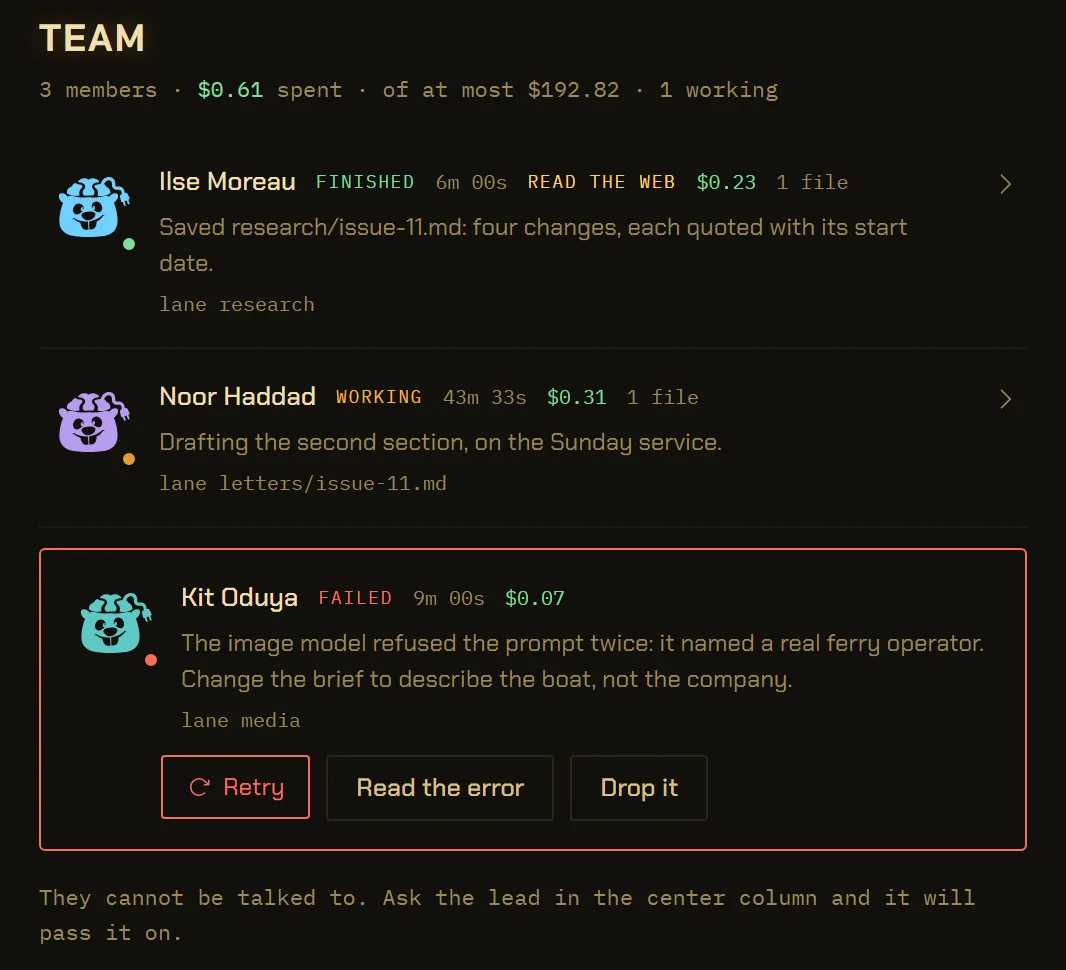
Lanes, a lock, and a record of who did what.
Each member’s lane is where it may write. A per-file lock keeps two writers out of one file, and overlapping lanes are flagged on the card before you sign.
The files listed are the ones the journal saw each member write, not what its report claims. Retry replays the brief you signed, not a new one the lead writes.
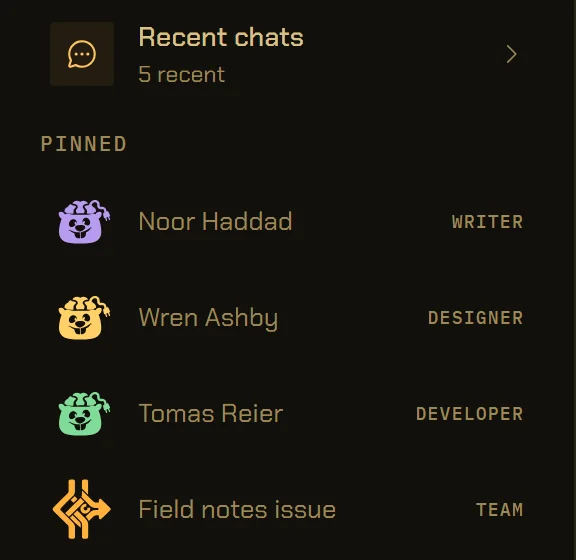
Twelve pins, and only you write them.
Up to 12 agents and crews sit in the drawer, and one click starts a new conversation with them.
A pin opens a plain conversation, which starts with the playbook the agent’s file names: design, code or none. Loading one grants nothing, so a folder from someone else’s repository cannot raise what a run may do. A run cannot write the list.
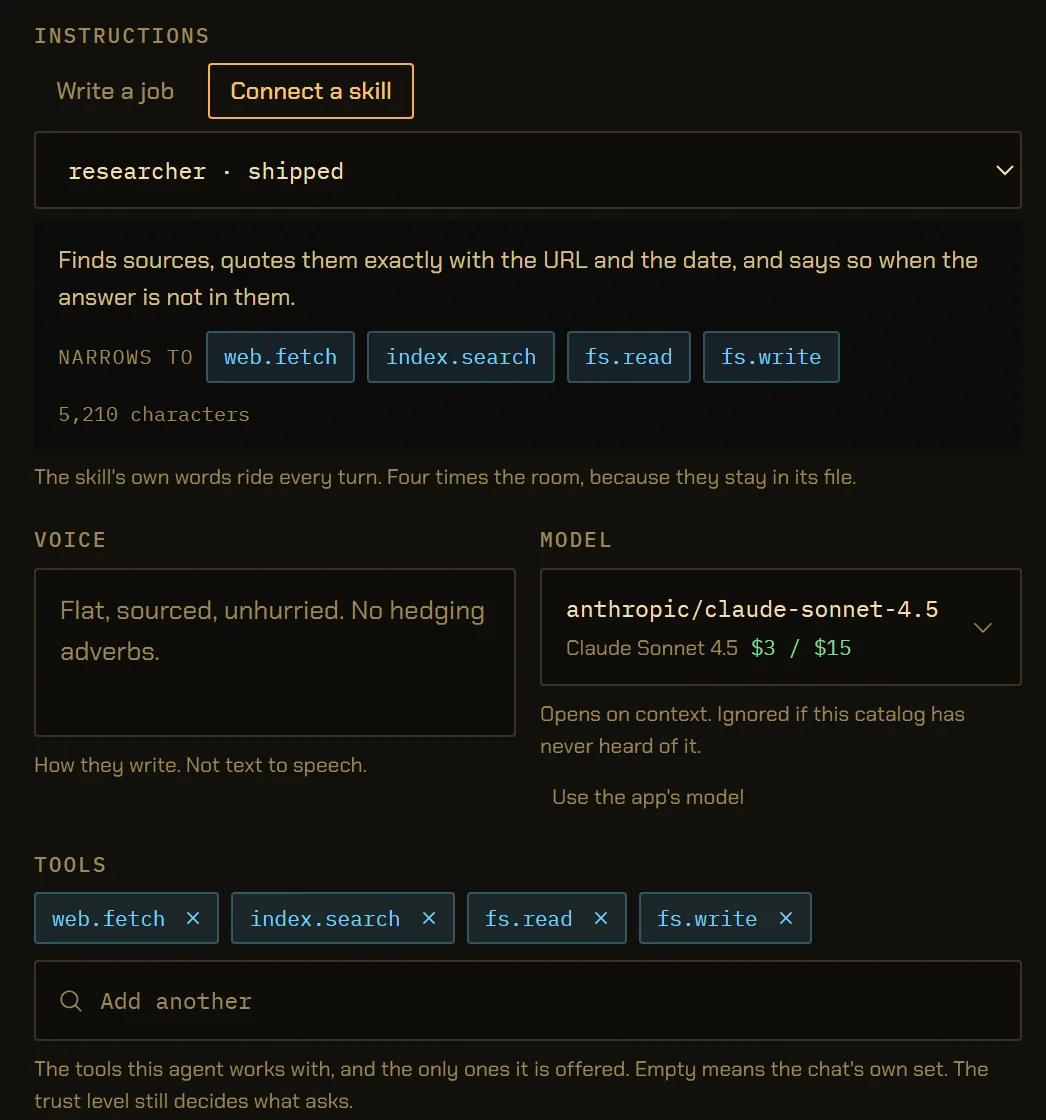
A skill can take tools away. It cannot add power.
22 skills ship with the app, among them an agent builder, a reviewer and the design, code and sheet playbooks, and you can bring in your own Markdown file. An agent can work from a skill instead of a job you wrote.
An agent’s skill narrows the tools it is offered, never adds to them. A playbook brings tools into hand, but your trust level still decides what asks. Skills stay out of the search index, so a question about your notes never comes back as somebody’s prompt.
- sign its own crew
- hand work to a name you did not sign
- add a tool its skill took away
- write your pins
- raise its own spending ceiling
Each of these is refused by the command itself, not by a line in a prompt. Signing a crew, pinning and setting a ceiling are commands only a person can send. How trust works here.
Agents, crews and skills in numbers.
- Roles
- 6: director, researcher, writer, developer, designer, media. A role grants nothing.
vb-agent/src/agent.rs - Job description
- Up to 3,000 characters, written by you
vb-agent/src/agent.rs - Name, one-liner, voice
- 80, 200 and 400 characters
vb-agent/src/agent.rs - Skill instructions
- Up to 16,000 characters
vb-cmd-skill/src/skill.rs - Built-in skills
- 22, including agent-builder, reviewer and the three playbooks
vb-cmd-skill/src/skill.rs · BUILT_INS - Crew size
- At most 8 members, plus the lead
vb-agent/src/crew.rs - Member brief
- Up to 1,200 characters; a crew’s job up to 2,000
vb-agent/src/crew.rs - Crew ceiling
- Step budget × 50,400 input tokens a step and the output budget, at published rates
vb-agent/src/crew.rs - Step budget
- 150 a run, one backstop for every conversation
vb-agent/src/role.rs · PERSON_STEPS - Pins
- At most 12, agents and crews together
vb-cmd-core/src/pins.rs - Where they live
- ~/VectorBrain/agents/<slug>/agent.md and ~/VectorBrain/crews/<slug>.md
vb-cmd-core/src/crews.rs
The details,
for the careful.
What is an agent in VectorBrain?
An agent is a folder of words plus a row: a name, a role, a job description you wrote, a voice, a model, a list of tools and a folder of notes. It is not a second program. Every agent runs on the one agent loop, through the same command bus and permission check, and every step lands in the same journal.
How is an agent different from a skill?
A skill is a stored preset: instructions, a narrowing of the tool set, and optionally a model, kept as one Markdown file. An agent is someone you open a conversation with, and it can run on a skill instead of a job description of its own. Picking a skill never changes what the conversation may do, because that is your trust level’s alone. Skills and the knowledge homes
Can one agent bring in others?
Only an agent marked Lead can, and only in one of two ways chosen at the conversation’s first turn. Under a crew you signed, the lead may hand work only to the names on it. Under open staffing, it may bring in anyone on your own roster. How a job is staffed cannot be changed once it is chosen.
What does the ceiling on a crew mean?
It is the most the crew can cost if every member runs to its whole step budget of 150 steps, each step charged for at most 50,400 input tokens and its output budget at the model’s published rate. It is a worst case, not an estimate. If any member’s model publishes no rate, the card says there is no ceiling to state. What models cost
What stops two agents writing the same file?
Lanes and a lock. Each member can be given the folders or files it may write; it can still read everything. A per-file lock keeps two writers out of one file at the same moment, and pairs whose lanes could reach the same file are named on the crew card before you sign.
What happens when a crew member fails?
The member’s row turns red and says why in words, with three choices: Retry, which replays the brief you signed; Read the error; or Drop it, which asks the lead to carry on and say what is missing. Nothing is retried automatically.
Where are agents and crews stored?
Each agent is a folder under ~/VectorBrain/agents/ with its agent.md and its notes. A kept crew is ~/VectorBrain/crews/<slug>.md. They are plain files you can read, edit, back up and put under version control. Keeping a crew saves who was on it and each brief, and none of what they found.
Can Claude Code or Codex use my agents?
Yes, if you allow it. A connected program with the agents permission can send one of your agents a message and wait for the answer, and with the roster permission it can create and edit agents and crews. Deleting stays in the window. The companion’s permissions
Write the job once.
Sign the crew each time.
Agents are yours, as files. What they may do in a given job is decided by you, on a card, before anything is spent.