
Your agent.
One unified workspace.
Connect Claude Code, Codex, Claude Desktop or Antigravity, and the agent you already use gains a studio, the bench of agents you built, and your project’s memory.
- make a hero image for the launch post, and get alt text for it from my writer
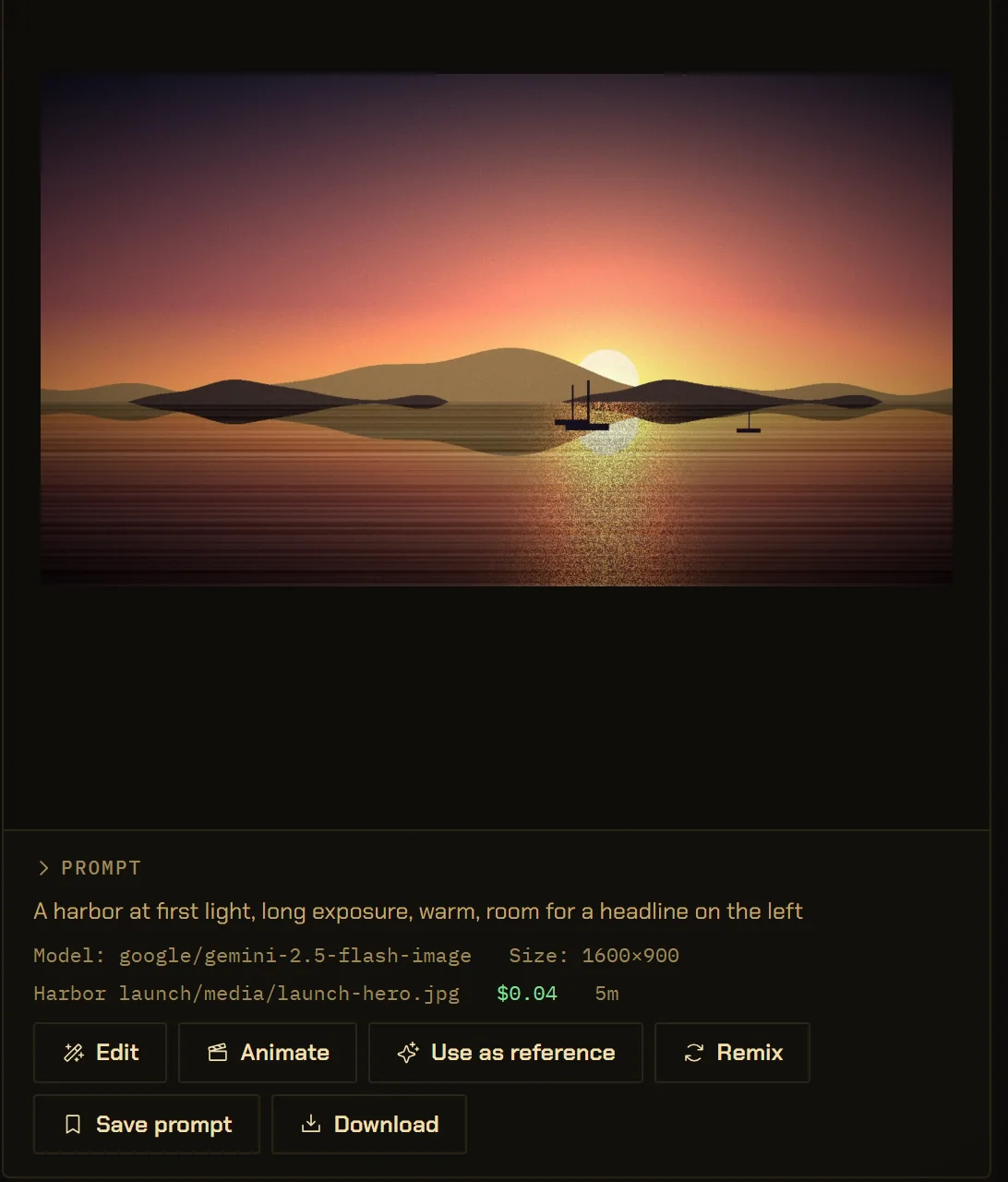
- vectorbrain · media.imagesaved media/launch-hero.jpg · $0.04
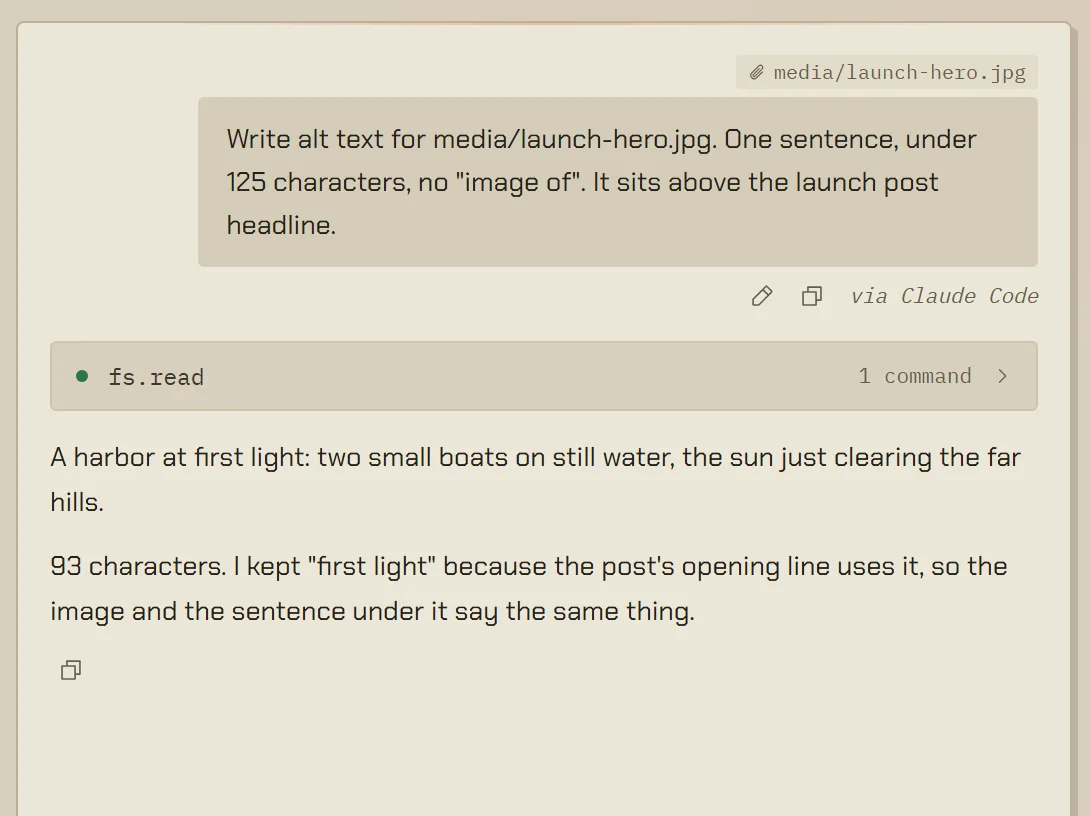
- vectorbrain · chat.sendNoor Haddad, writer · answered in 9s
- Done. Image and alt text are in the post.
The window is VectorBrain’s real interface, running on example data. The terminal is a drawing, and the harbor pictures are stand-ins.
A studio in your terminal.
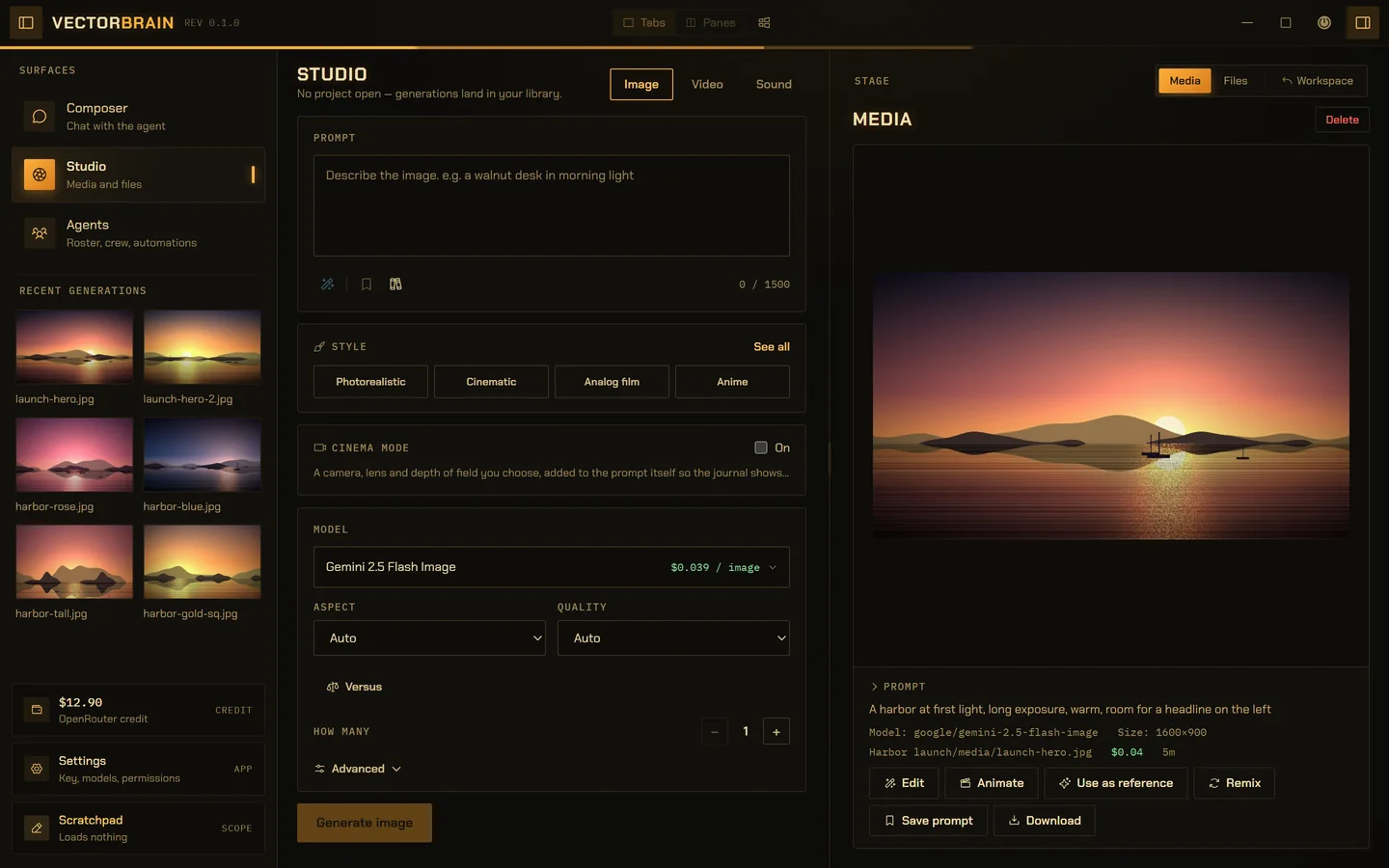
Image, video, sound and speech, on your own key. The file lands in the project’s media folder and shows up in the Studio like anything you made by hand, with the prompt and the price beside it.
What the Studio can makemake a hero image for the launch post
Ask the people you built.
Your editor agent hands a job to one of your agents and waits, so what comes back is the answer, not a ticket. The conversation is in your drawer like any other, marked with who started it.
How agents and crews workget alt text for it from my writer
Every call, under its name.
A companion goes through the same door you do, so everything it does is a row in the same journal, with the exact input it ran. Nothing happens off the record.
One bus, one journal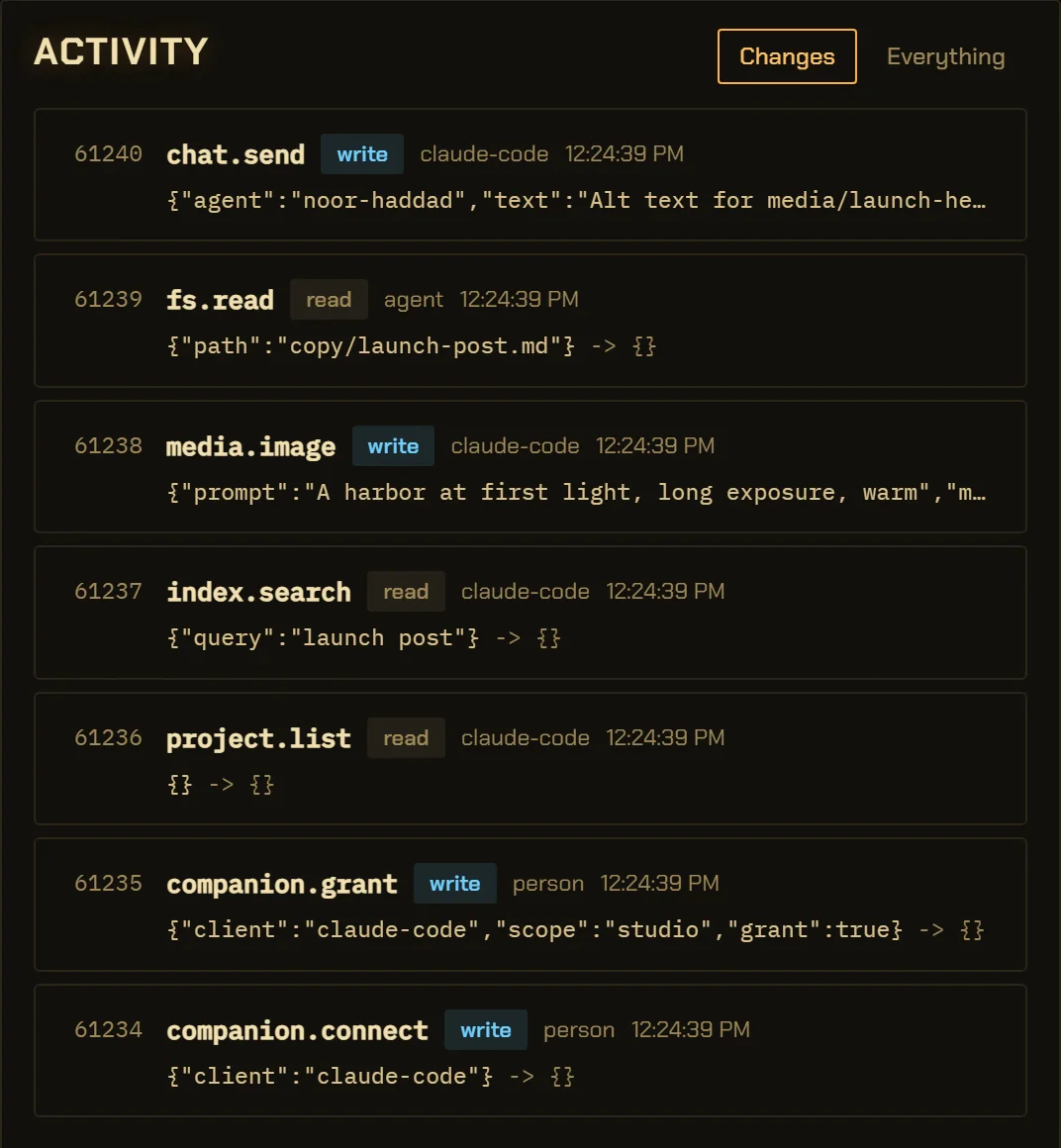
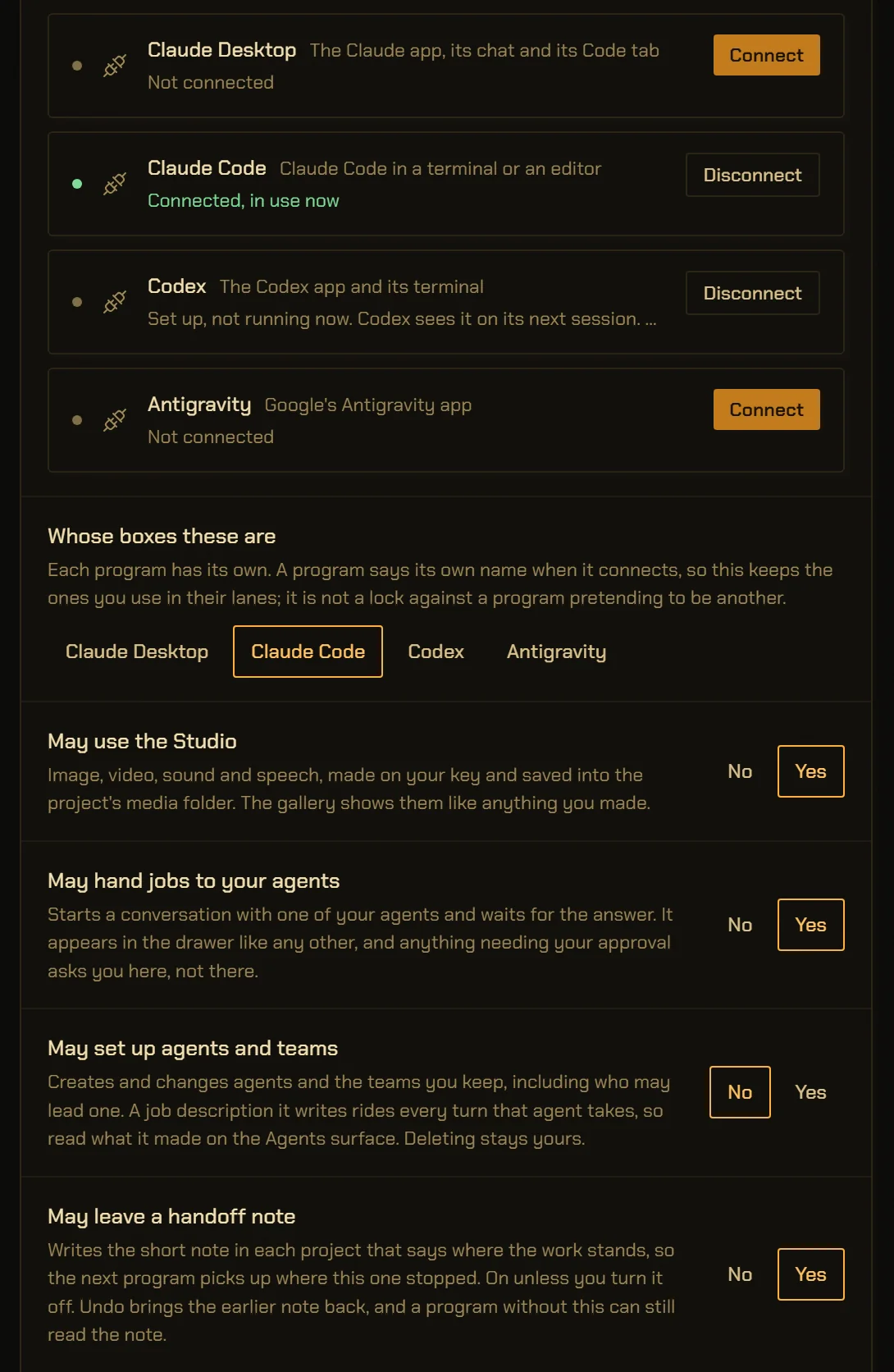
One click to connect. Four boxes to decide.
Connect writes one entry into the program’s own config and touches nothing else in it. Looking is always allowed. The Studio, your agents, writing your roster and leaving a handoff note are each a box, set per program. The handoff box starts ticked; untick any box and it bites on the next call.
- Claude Code
- Codex
- Claude Desktop
- Antigravity
- commit
- push
- approve its own work
- set a trust level
- widen its own scopes
- read a file
- reach the web
- drive the browser
None of these is on a companion’s table, at any setting. A run it starts is an ordinary agent run with every gate it always had, and its approvals land in the window, for you. How trust works here.
The companion, in numbers.
- Programs it connects to
- Claude Code, Codex, Claude Desktop and Antigravity. Connect writes one entry into each program’s own config, and for Codex one marked block in its AGENTS.md that Disconnect takes out.
vb-cmd-companion/src/clients.rs - Protocol
- MCP. VectorBrain is the server; your editor agent is the client.
vb-cmd-companion/src/lib.rs - Scopes
- 5: look (always on), studio, agents, roster and handoff — the last four a box each, per program. Handoff is on until you untick it.
vb-bus/src/policy.rs · GRANTABLE_SCOPES, DEFAULT_ON - Always allowed
- 11 read commands: agent.get, agent.list, app.info, chat.history, chat.list, crew.list, handoff.read, index.search, media.recent, models.list, project.list.
vb-bus/src/policy.rs · COMPANION_LOOK - Studio scope
- 5 commands: media.image, media.video, media.sound, media.speech, media.transcribe.
vb-bus/src/policy.rs - Agents scope
- chat.send, which blocks until the run ends, so the reply is the answer.
vb-bus/src/policy.rs - Network
- Loopback only, on a port the app picks, admitted by a fresh token per launch.
vb-cmd-companion/src/lib.rs - Config writes
- One key set in JSON with key order kept, or one TOML table spliced by line; every write is temp-and-rename.
vb-cmd-companion/src/clients.rs
The details,
for the careful.
What is the VectorBrain companion?
It makes VectorBrain an MCP server on your own machine. Claude Code, Codex, Claude Desktop or Antigravity connect to it as a client and can then use your Studio, hand work to the agents you built, search your project and leave a note on where the work stands. It is not a plugin or an official integration with Anthropic, OpenAI or Google.
Do I run a second process or paste a port somewhere?
No. The app picks a loopback port and writes it, with a fresh token, to a file in its own data folder. Your client launches the same executable in bridge mode, which reads that file. There is no second binary, no port in anybody’s config, and no token that outlives the process that made it. The app has to be running.
Will connecting it wreck my Claude Code or Codex config?
No file is rewritten whole. One key is set in the JSON with key order preserved, or one table is spliced into the TOML by line, and every write goes to a temporary file that is then renamed into place.
Does the companion work over a network?
No. It listens on loopback only, by design, so the program has to be on the same machine.
What can a connected program never do?
Commit, push, approve, set a trust level, widen its own scopes, read a file, reach the web or drive the browser pane. None of those commands is on a companion’s table at any setting, and a run it starts through an agent keeps every approval gate, with the approvals landing in your window. How trust works
Can VectorBrain use other MCP servers too?
Yes, in the other direction. Under Connections you add MCP servers for VectorBrain’s own agent to use, switch their tools on or off, and log in to them. When a server asks you something in the middle of a call, the question appears over the window, and what you type goes to that server only: not to the model, and not into the journal. Connections and trust
Are the permission boxes a security wall?
They are lanes for well-behaved programs, not a wall between hostile ones. A program says its own name when it connects, and a name is a label, not a proof. The token is what admits anybody. Unticking a box takes effect on the next call, and connected programs are told their tool list changed.
Keep your agent.
Give it somewhere to work.
Nothing to switch. One more thing your terminal can reach, on your machine, under your rules.