
A message, kept
with a time to send it.
An automation is the message you would have typed, to the agent you chose, on a schedule said in words. It runs while VectorBrain sits in the tray. Nothing fires while the machine is off.
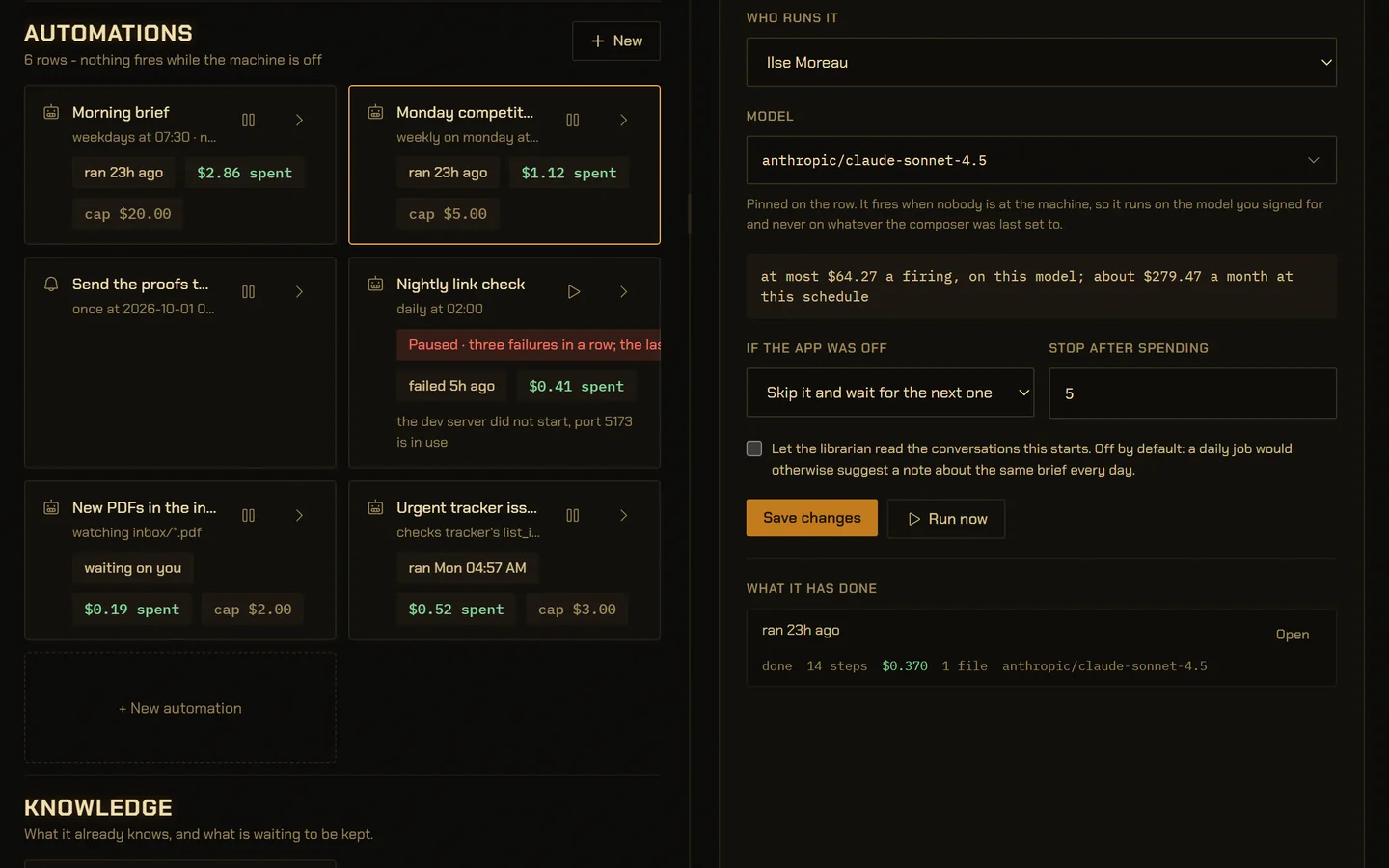
VectorBrain’s real interface, running on example data.
Schedules said in words, never in cron.
Pick a shape and fill its blanks: once, every so often, daily, weekdays, weekly, at start, when a file changes, or when something arrives on a connected server.
The app reads the stored schedule back in words, “weekly on monday at 08:00”, on the form and on the card, so what it says and what fires cannot disagree.
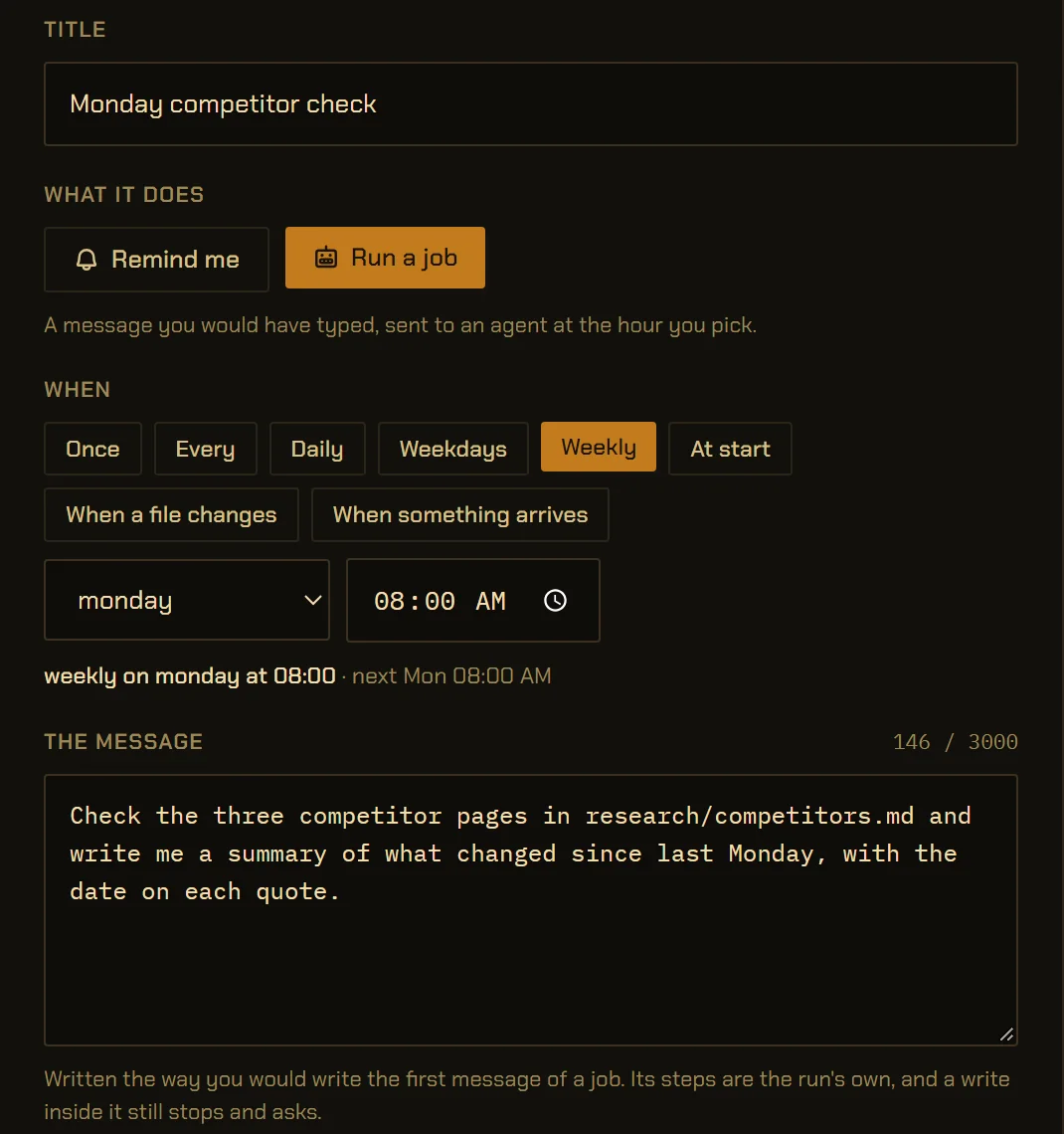
Signed with its worst case on the card.
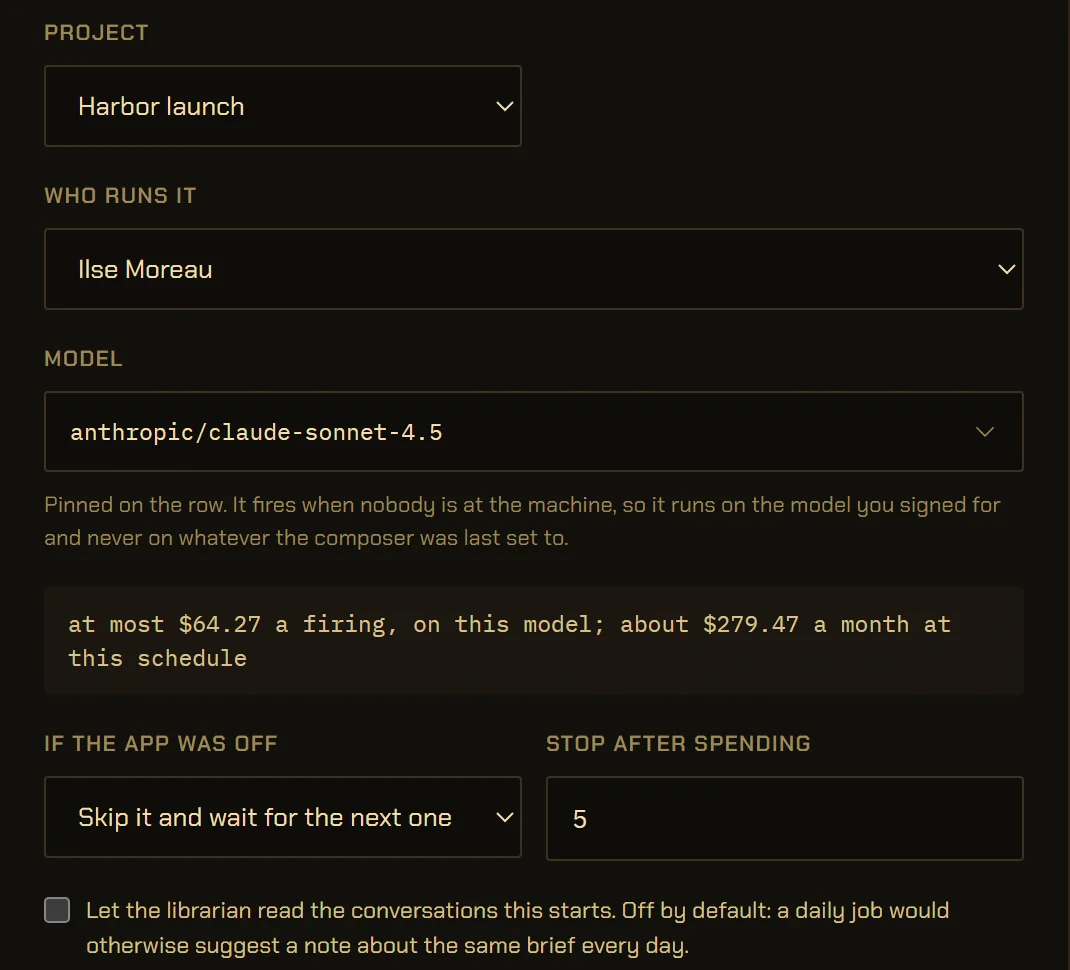
The model is pinned on the row, so an unattended job runs on the one you signed for, not on whatever the composer was last set to.
The cost line is the most one firing can spend, times the schedule. It is a ceiling, not a forecast: in this example the last run spent $0.37. A cap in dollars stops the row when it is reached.
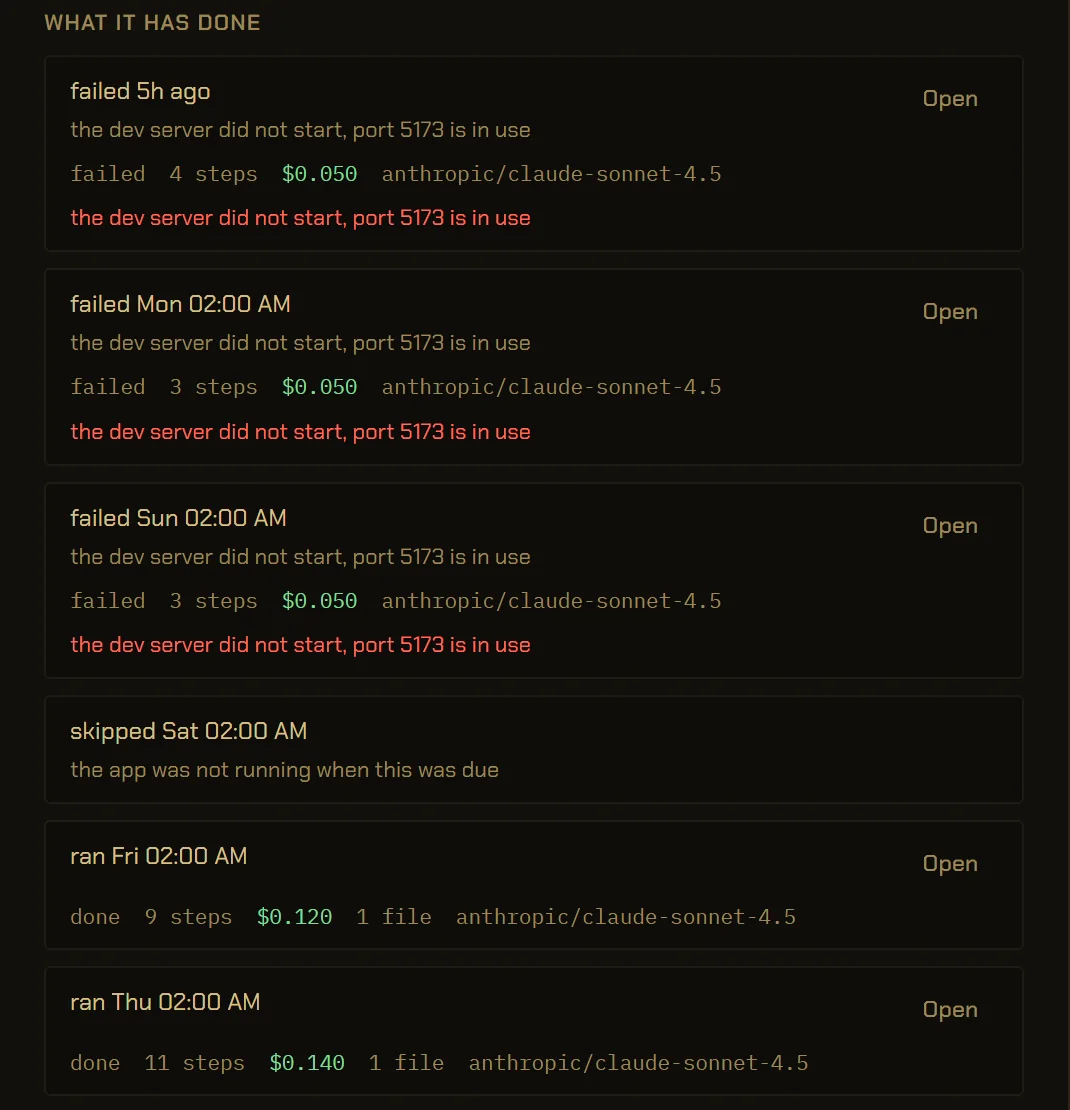
Three failures, and it stops itself.
Nothing retries by itself. Three failures in a row pause the row with the last reason, so it waits for you instead of failing every night for a month.
A night the app was off is written down as skipped, with that reason. Steps, cost and the files each run wrote come from the journal, not from the run’s own account.
When a stranger’s message wakes it, it can only propose.
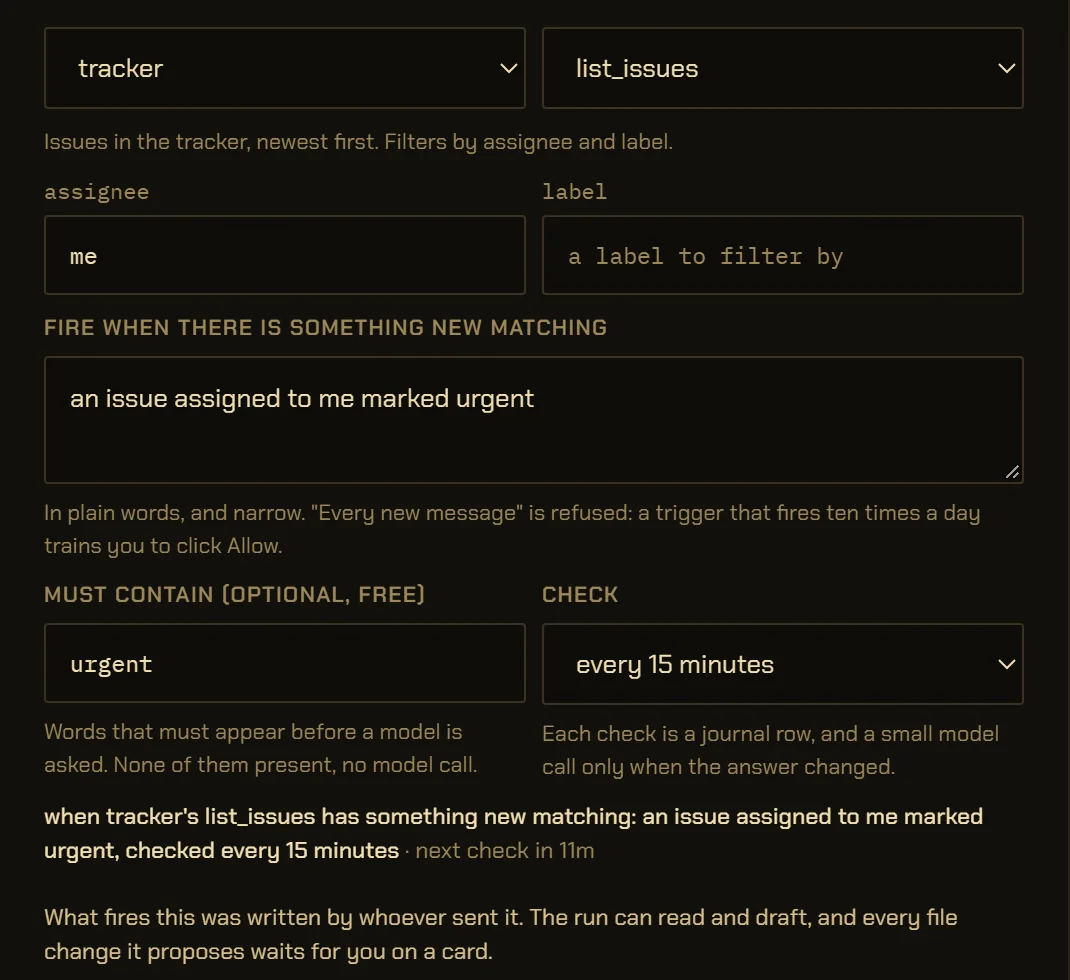
A connection trigger checks a read-only tool, at most every 5 minutes, and fires once per new item that matches a rule of at least three words. “Every new message” is refused.
The run it starts may read and draft. Every file change it proposes waits for you, at every trust level, and it cannot delete a file or run a program. A spending cap and a daily limit are required.
A reminder costs nothing.
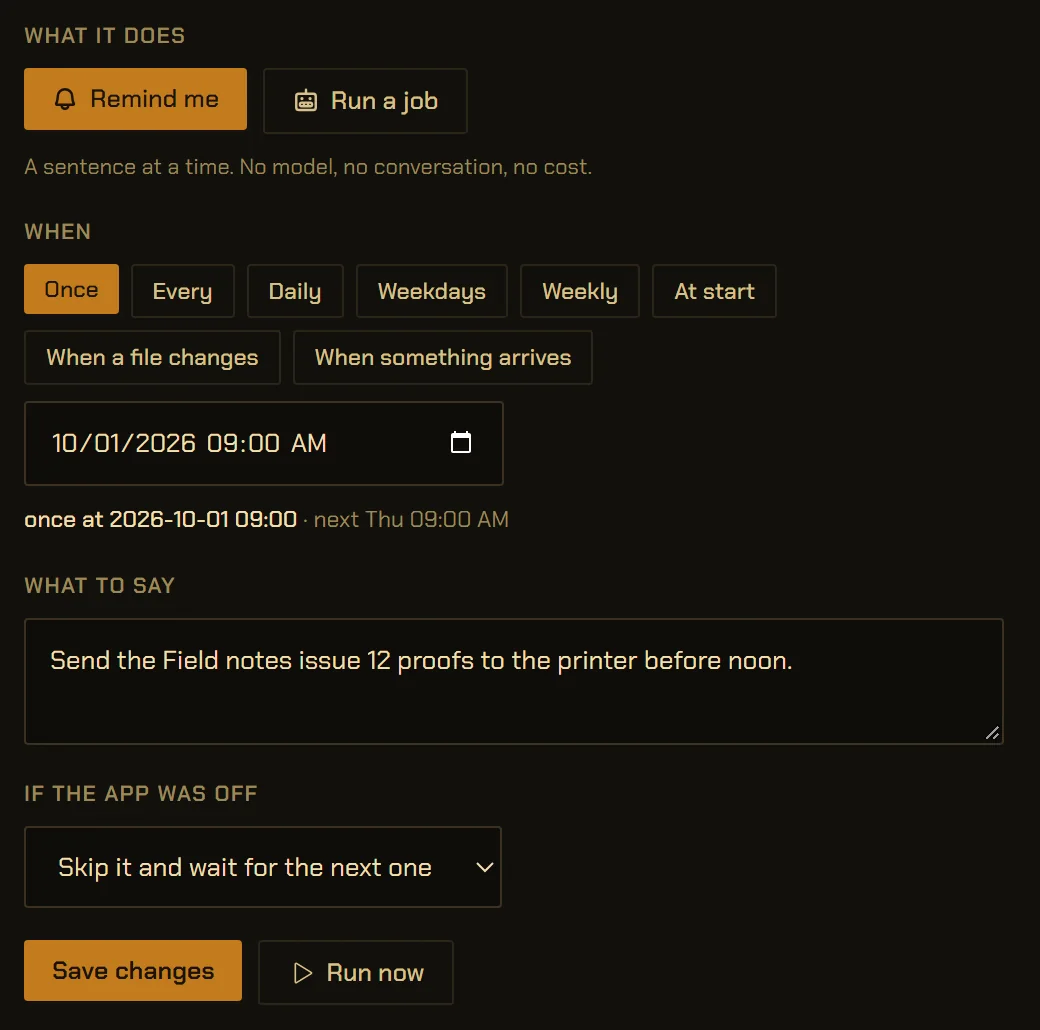
A reminder is the same row with a sentence instead of a message. It shows a notification at its time: no model, no conversation, no key.
A deadline can set its own: two days before, the day before, or the morning it is due, at nine.
- fire while the machine is off
- retry on its own
- start a crew nobody signed
- let a stranger’s message run a program
VectorBrain is a desktop app with no server. Closing the window hides it to the tray and the clock keeps going. Power it off, or shut the computer down, and nothing fires until it is running again. If a job must run at 3 a.m. whether or not your computer is on, this is the wrong tool for it.
Automations in numbers.
- Schedule shapes
- 8: six clocks (once, every, daily, weekdays, weekly, at start) and two events
vb-cmd-automation/src/schedule.rs - How often it looks
- Every 30 seconds, firing at most 3 due rows a pass
vb-agent/src/automation.rs - Failures before it pauses
- 3 in a row; one success resets the count
vb-agent/src/automation.rs - Connection checks
- No more often than every 5 minutes
vb-cmd-automation/src/schedule.rs - Trigger rule
- At least 3 words; rules meaning “everything” are refused
vb-cmd-automation/src/schedule.rs - Firings a day, for a trigger
- 10 by default, 200 at most
vb-cmd-automation/src/commands.rs - Message, title, reminder
- 3,000, 120 and 500 characters
vb-cmd-automation/src/commands.rs - Files per file-change firing
- Up to 20, attached
vb-agent/src/trigger.rs - Notifications
- At most 6 a minute
vb-cmd-automation/src/notifier.rs - Missed while off
- Skip it, or run it once when the app comes up; set per row
vb-agent/src/automation.rs
The details,
for the careful.
What is an automation in VectorBrain?
An automation is a message you would have typed, kept with a time to send it: the prompt, the agent or crew, the project and the model, exactly what a conversation takes, minus the moment. When it fires, it starts an ordinary conversation you can open and carry on. A reminder is the same row with a sentence instead, and calls no model.
Does it run when the window is closed?
Yes. Closing the window hides VectorBrain to the system tray, and the schedule keeps running there; the first time you close it, the app says so. It does not run while the app is powered off or the computer is shut down. There is no server anywhere that runs it for you.
What happens if the computer was off when a job was due?
Each row decides. “Skip it and wait for the next one” records the missed moment as skipped, with the reason. “Run it once when the app comes up” fires it once when VectorBrain starts again, recorded as caught up.
What can an automation do while I am away?
A clock-fired run has the same permission checks as a conversation you started, at the trust level of its project. A run started by something arriving over a connected server is tainted from its first step: it may read and draft, every file write waits for your approval whatever the trust level, and deleting files or running programs is refused. When a run stops to ask, you get one notification and the tray shows what is waiting on you. How approvals work
Can an agent set up an automation for me?
Yes. Ask for a reminder or a nightly job and the agent proposes one, but creating, changing or running an automation from an agent always stops on a card first. The card is the same form you would fill in yourself, and what you sign is what runs.
How much can an automation cost?
The form shows the worst case before you save: the most one firing can spend on the pinned model, times the firings a month at that schedule. A trigger has no month, so it shows the most a day at its daily limit. Triggers require a spending cap, and any row stops when its cap is reached. What models cost
Can an automation start a crew?
Yes, with a crew you signed or a lead with open staffing. It cannot start with a crew still to be approved, because a lead that fired at 3 a.m. with a draft would sit waiting for a signature nobody is awake to give. How crews are signed
What if an automation keeps failing?
Nothing is retried automatically. After three failures in a row the row pauses and carries the last reason in words. Press play when you have fixed it; one successful run resets the count.
Set it once.
Read what it did in the morning.
Every firing is a row in its history, and every run is a conversation you can open and carry on.