VectorOxide is a real browser pane inside VectorBrain. What the agent reads is the page in front of you, in the session you signed into, and it asks before it touches anything.
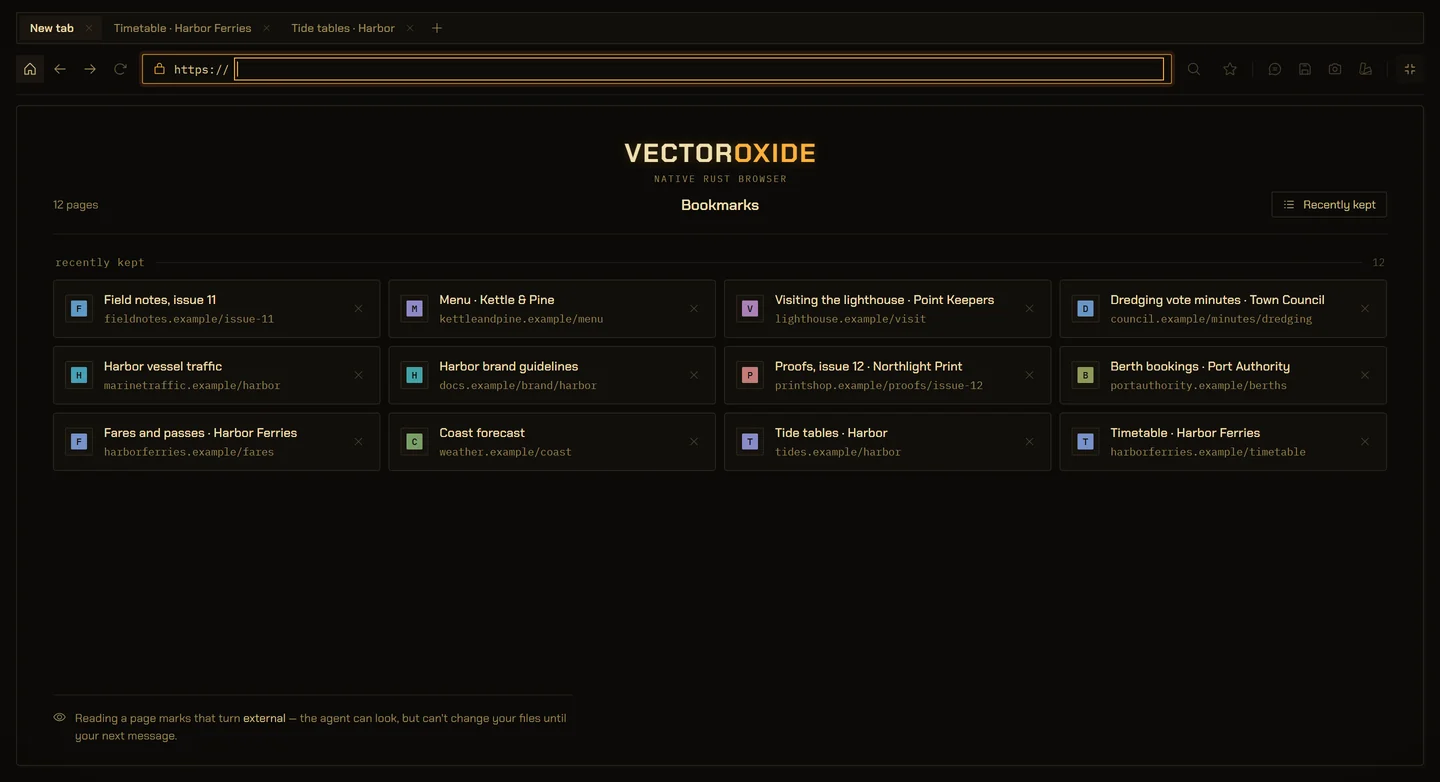
VectorOxide’s real start screen, running on example data. The kept pages are invented.
01
It reads what you are looking at.
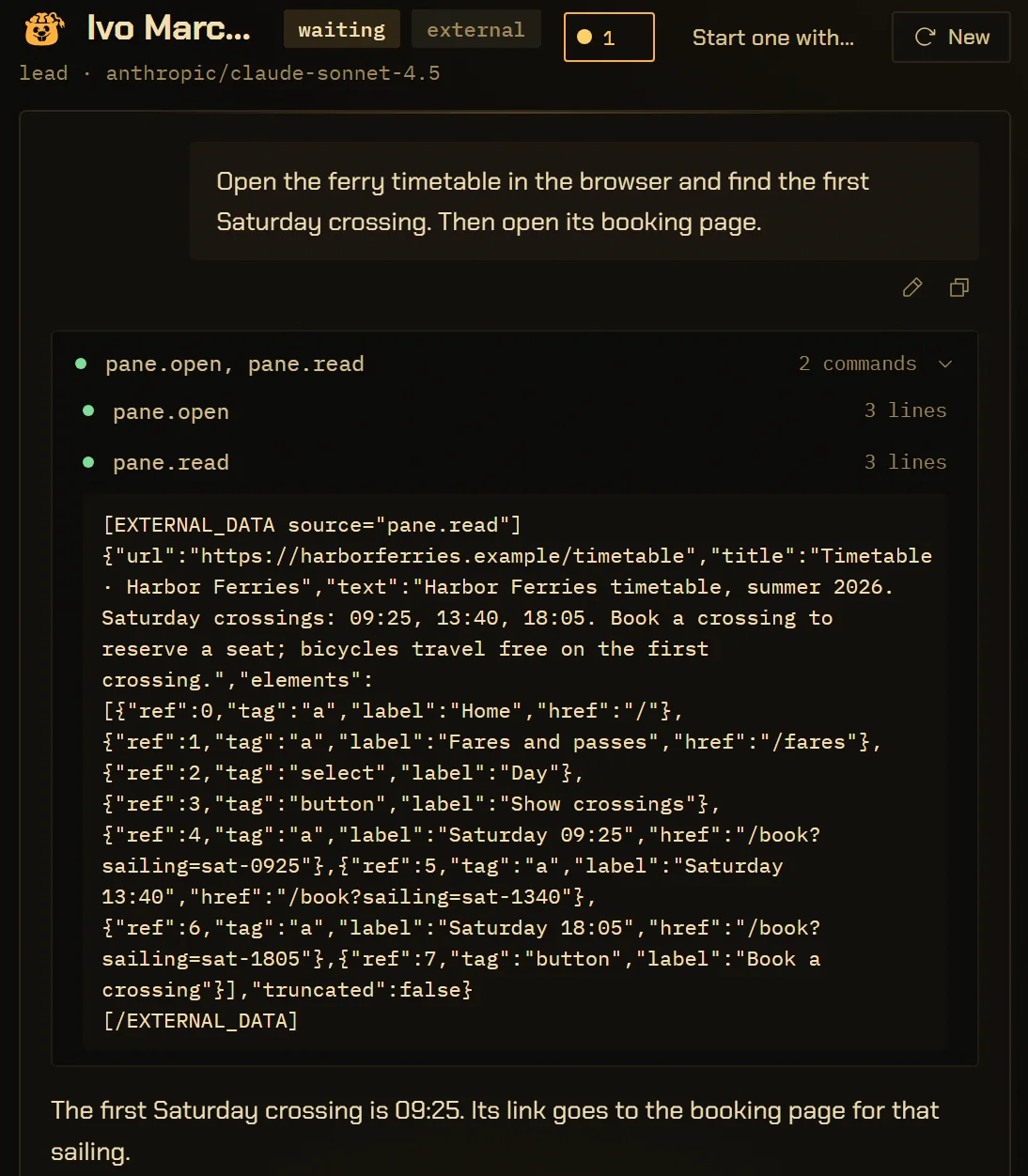
pane.read returns the page’s text and numbers its buttons, links and fields itself, fresh on every read. A click names a number from the read just before it.
At most 120 elements and 32,000 characters per read. A longer page is read in part, and the answer says so.
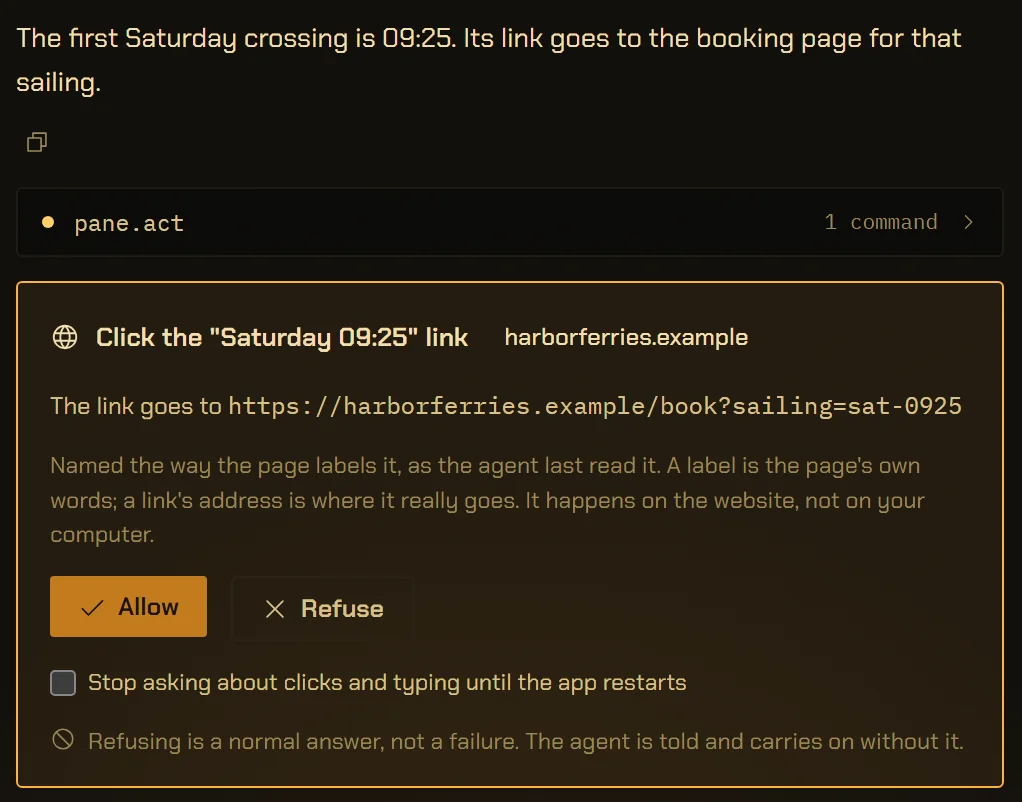
A click, a fill, a key press or a scroll stops for you, whatever your trust level. The card names the element in the page’s own words and shows where a link really goes.
Shown here on example data. On the one live run so far the standing grant was on, so this card has not yet been seen on a real site.
The pane’s own bar, from the desktop build. The page area below it is a native webview, which the capture harness cannot draw.
Placeholder
Screenshot: the pane with a real page loaded.
Needs the running app rather than the capture harness, because the webview is native. Not captured yet.
04
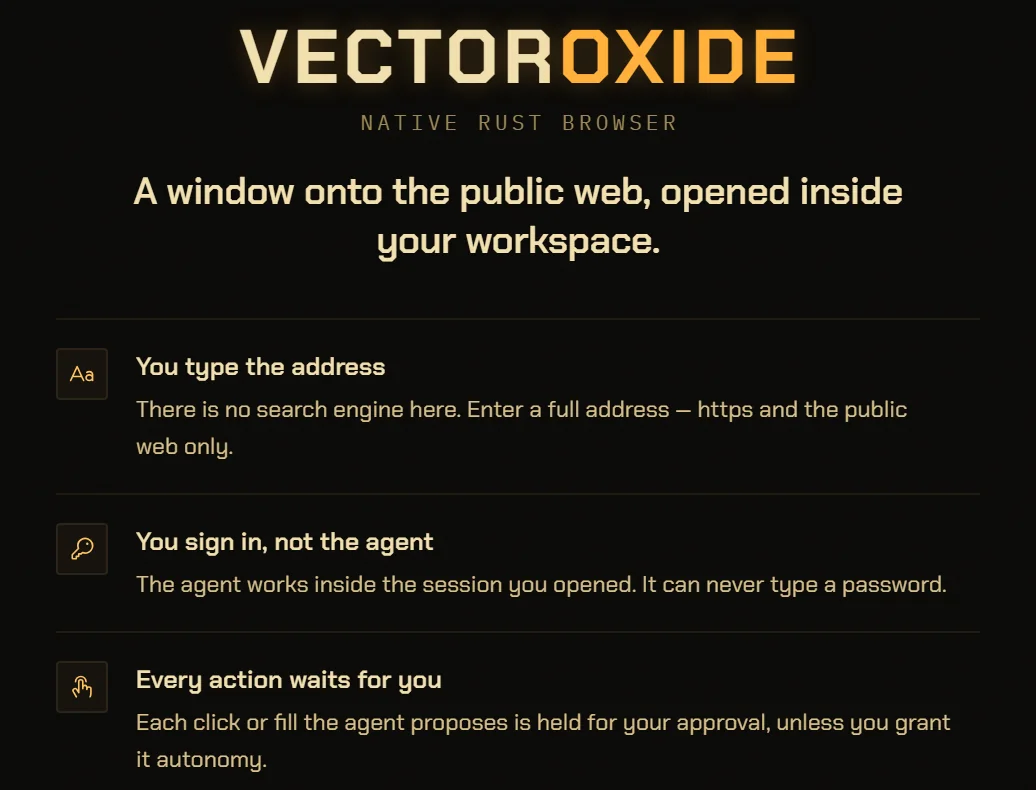
You sign in. It never types a password.
A fill aimed at a password field is refused. An approval stores its input as it will run, so a password in one would sit in the app’s database while you decided.
You sign in yourself, and the agent then works inside that session.
On 2026-09-13 the agent opened a live page, read it, clicked through, filled a four-field form and submitted it, in the pane, in real time. Four runs, journal rows 59461 to 59585.
The standing autonomy grant was on, so none of those clicks stopped to ask.
Screen recording: the 2026-09-13 run, in the pane.
The agent opening a page, reading it, clicking through, filling a four-field form and submitting, in real time. Not recorded yet. The caption will say whether the standing autonomy grant was on or off when it was made.
Also in the code
A page cannot reach your files.
pane.open, pane.read, pane.act and pane.capture count as outside data. Once a run uses one, it can make a new document but cannot change what exists, delete or run anything until your next message. And the pane’s webview carries none of the app’s code, so a page loaded in it cannot call the app at all.
An address is checked before the pane hears it, and every navigation the page makes for itself is checked again. A plain-http hop is retried over https. The one loopback address it opens is a dev server this app started.
Save writes the page’s words into the project’s web/ folder, which the agent can only read back through a command that marks the run external. Capture photographs what you see into media/, and only you can press it.
4,000 characters. Never into a password field.vb-cmd-pane/src/lib.rs · MAX_FILL
Actions
click, fill, press, scroll. Each asks unless you granted autonomy.vb-cmd-pane/src/lib.rs · ACTIONS
Zoom
25% to 500%, on Chromium’s 17-step ladder, remembered per site.ui/src/Browser.tsx · ZOOM_STEPS
Engine
A WebView2 child webview the app places over the stage. Windows only today.vb-app/src/pane.rs
Largest capture
32 MB.vb-cmd-pane/src/lib.rs · CAPTURE_CAP
The details, for the careful.
Can the agent use sites I am signed into?
Yes. The pane is one shared browser profile, so the agent reads and acts inside the session you opened. It cannot sign in for you: a fill aimed at a password field is refused, and you type your own passwords.
Will the agent click things without asking?
Not unless you say so. Every click, fill, key press and scroll stops for approval at every trust level. You can lift that for the rest of the app session with a box on the card, or grant standing autonomy in Settings, Trust. Only a person can grant either.
What happens to my files after the agent reads a web page?
That run can no longer change anything that already exists, delete or run anything. It can still read, answer and write what it found as something new: a Canvas document, or a .md, .txt or .csv file under the project’s web/ folder, both marked as from the web. Your next message starts a new run without the restriction. The taint rule
Can a web page in the pane control VectorBrain?
No. The pane’s webview carries no capability and no script of the app’s, so a page loaded in it cannot reach the command bus. That was probed in the running app rather than assumed.
Can it work in a tab I am not looking at?
No. Every pane command acts on the tab in front. An agent that wants another page opens a new tab, which comes to the front where you see it.
Has the approval card been shown on a real website?
Not yet. The live run on 2026-09-13 had the standing autonomy grant on, so none of its clicks stopped to ask. The card on this page is drawn from example data.
Which platforms does the browser pane run on?
Windows. The pane is a WebView2 webview, and driving it works on Windows only today. Platform details
Look at the web together. It asks before it touches.
One pane, one session, and every click on a card you can read before it happens.